
To make game sound effects with AI, write a one-sentence prompt that names the source, material, action and space, pick a length, turn on looping for ambience, generate, then trim the file and import it into your engine. On RaoMusic, lengths run from 1 to 30 seconds, files download as MP3, and each clip costs 1 credit per second with a 5-credit minimum. Nine measured test clips follow.
Last checked: October 26, 2026
How we made and measured the test clips
On October 26, 2026 we generated nine clips on the game sound effect generator. It opens on the Sounds tab with ElevenLabs selected in the model menu. Every clip used the default Description match setting of 0.3 (it controls how closely the result follows your wording). The footsteps prompt ran three times and the rain prompt twice (Seamless loop on and off); every other prompt ran once. The nine clips cost 75 credits in total.
We then decoded each MP3 in a browser (Chromium's Web Audio API) and measured its length, its peak and average level in dBFS (0 is the loudest a file can go), and how much silence sits at the start and end, counting anything below −60 dBFS as silence. We did not compare the clips with stock libraries or other generators. The numbers cover length, silence and level. The short listening note under a clip describes what that file sounds like; press play to judge for yourself.
How do I write a prompt for a game sound effect?
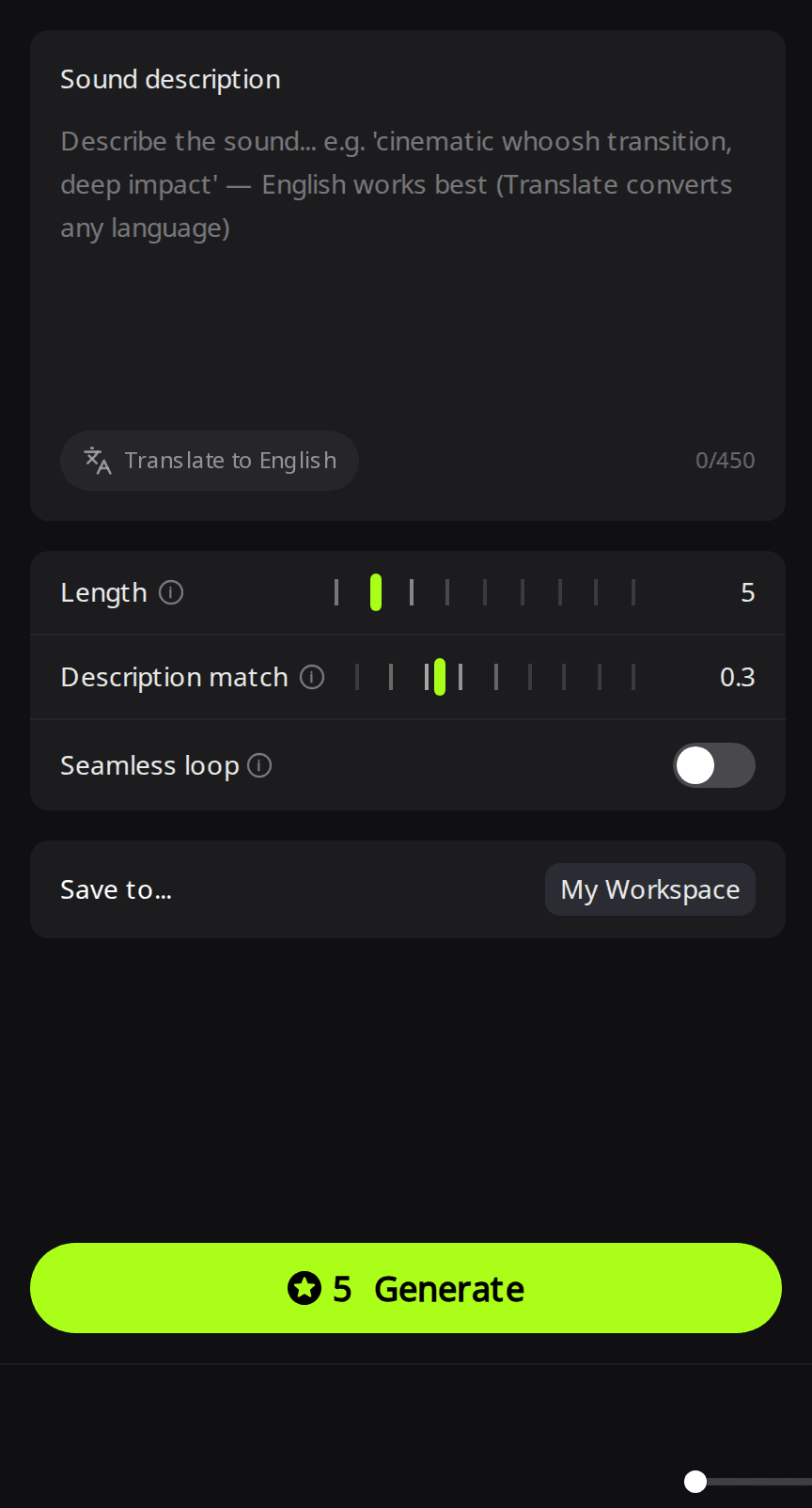
Name four things: the source (steel swords), the material or texture (sharp metallic ring), the action (clash), and the space and distance (close and dry). Leave out mood words such as "epic". The description box takes up to 450 characters, and the placeholder notes that English works best; a Translate to English button converts other languages.
Here is a two-word prompt and a full one, both at 2 seconds:
Prompt: sword sound · Length: 2 s
Prompt: Two steel swords clash with a sharp metallic ring, close and dry · Length: 2 s
Play both and compare. If a take is close but wrong, change one detail at a time (material, then distance) so you can tell which word moved the result.
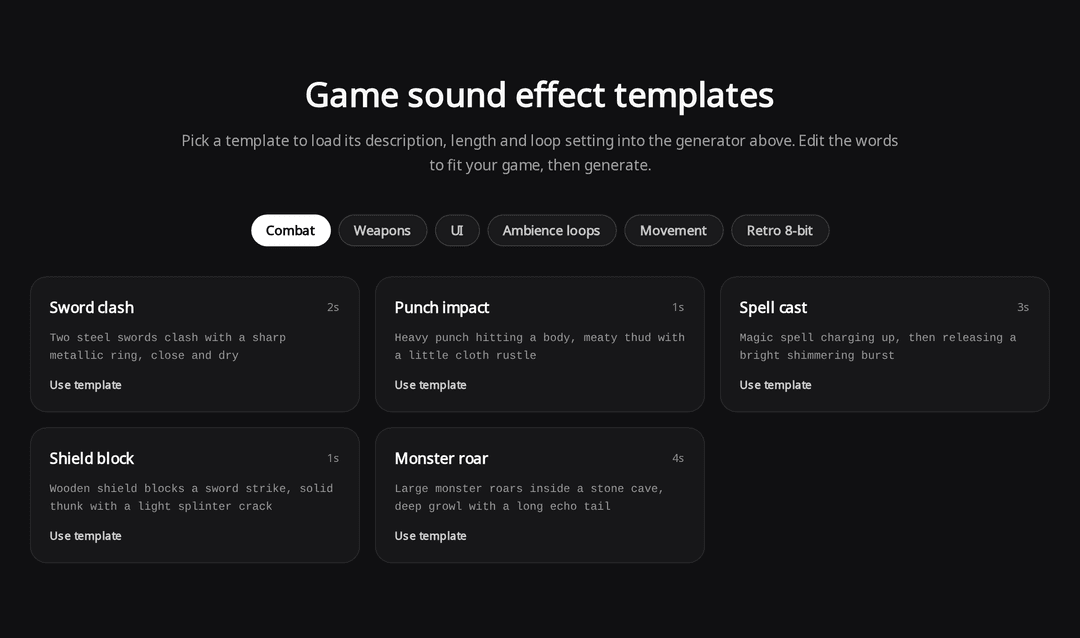
You don't have to start from a blank box. The page has 30 templates in six groups: Combat, Weapons, UI, Ambience loops, Movement and Retro 8-bit. Use template fills in the description, length and loop setting, and you edit the words from there.
How long should each sound effect be?
Every file came back exactly as long as the Length setting, but the sound itself often ends earlier, so plan on trimming the tail before you import:
| Clip | Length set | Silent tail | Peak | Average level | Credits |
|---|---|---|---|---|---|
| Sword, two-word prompt | 2 s | 0.65 s | −3.0 dBFS | −27.3 dBFS | 5 |
| Sword, detailed prompt | 2 s | 0.29 s | −2.8 dBFS | −28.4 dBFS | 5 |
| 8-bit power-up | 2 s | 1.49 s | −3.8 dBFS | −22.3 dBFS | 5 |
| Explosion with debris | 5 s | 0.36 s | −1.6 dBFS | −16.4 dBFS | 5 |
| Gravel footsteps (3 takes) | 4 s | 0.00 s | −22.2 to −16.8 dBFS | −47.4 to −45.5 dBFS | 5 each |
| Rain, loop on | 20 s | 0.00 s | −17.1 dBFS | −39.8 dBFS | 20 |
| Rain, loop off | 20 s | 0.00 s | −20.9 dBFS | −46.3 dBFS | 20 |
The 8-bit power-up shows the pattern most clearly: the sound is over after about half a second, and the last 1.49 seconds of the 2-second file are silence. Generate, then trim.
Prompt: 8-bit retro power-up, fast ascending chiptune arpeggio · Length: 2 s
Listening note: a fast, bright square-wave arpeggio with the right retro feel. It is thin and stops abruptly, so it suits a small pickup or a UI confirmation better than a big power-up.
A silent tail keeps the clip "playing" after the sound stops, which matters if your code waits for a sound to finish or caps how many can play at once. Trim it in an audio editor for sounds you trigger often. Because of the 5-credit minimum, any length from 1 to 5 seconds costs the same, so give a sound with a long decay, such as the explosion below, a little extra room.
Prompt: Large explosion with a rumbling boom and debris falling afterwards · Length: 5 s
Listening note: a solid low boom with a rumbling tail, but almost no falling debris; a faint hiss is all that is left of it. It works as a distant or off-screen blast. For a close-up explosion, layer separate debris impacts on top.
How do I make a looping ambience sound?
Turn on Seamless loop before you generate, choose a longer length (we used 20 seconds), and describe a steady sound with no one-off events. "No thunder" in the rain prompt asks the model to leave out one-off crashes, which would otherwise repeat every 20 seconds; it is a request, not a guarantee, so listen through the clip. The players below are set to repeat, so you can hear each one wrap around:
Prompt: Steady heavy rain falling on leaves and ground, no thunder · Length: 20 s · Seamless loop: on
Same prompt · Length: 20 s · Seamless loop: off
Listening note: both takes are a steady downpour with no thunder, but they sound like an even wash of rain rather than single drops hitting leaves, and the loop-off take is more muffled. Either works as a background rain bed; for a close-up scene, add separate splash sounds.
Let each player wrap around a few times. In our measurements, the loop version's last sample landed about ten times closer to its first sample than the loop-off version's did, which is what a clean loop needs, but only listening in your engine confirms it: turn looping on there too and let the clip repeat several times. If you hear a click or a gap at the wrap point, check two things. MP3 files can carry a few milliseconds of padding at the start, and converting to WAV or Ogg Vorbis keeps that silence, so trim the start in an audio editor before you export. If the boundary still clicks, add a short crossfade at the loop point.
How do I avoid the same sound repeating?
Generate the same prompt several times, then pick and trim the usable parts of each take:
Prompt: Footsteps walking on loose gravel, steady pace, close to the mic · Length: 4 s · three runs
Listening note: takes 2 and 3 sound like crisp steps on loose gravel. Take 1 is softer and squishier, closer to snow or wet dirt than gravel. That is the reason to generate several takes and pick: take 1 still works for a snow or mud surface.
The three takes are different files, not copies: their peaks range from −22.2 to −16.8 dBFS, and the first step starts at a different moment in each (0 to 71 milliseconds in). Cut single steps out of each take, have your game pick one at random on every step, and add a small random pitch change so a long walk doesn't repeat audibly. Check levels again after cutting, because whole-file averages include the pauses between steps. Three takes cost 15 credits.
How do I balance volume between sound effects?
Generated clips don't come out at matched volumes, so plan a leveling pass before you ship. In our set, the explosion averaged −16.4 dBFS and the gravel footsteps about −46 dBFS, roughly 30 dB apart: played at the same volume setting, the footsteps would sit far below the explosion.
Trim silence first, then set a volume per sound category (UI, combat, ambience) in your engine and adjust single clips by ear. Peak normalization only lines up the loudest instant: a short sword hit and a steady rain loop normalized to the same peak will still sound very different in loudness. Leave some headroom below 0 dBFS, because several sounds playing at once add up.
How do I import the sound effects into Unity, Godot and Unreal?
The files are MP3s (ours were 128 kbps, 44,100 Hz, stereo). All three engines take MP3 directly, according to their current documentation:
- Unity: the Unity 6.6 manual lists .mp3 as a supported audio format. Drag the file into your Assets folder, play it from an AudioSource and tick Loop for ambience, then pick a Load Type in the clip's import settings: the manual suggests Decompress On Load for smaller sounds and Streaming for continuous audio such as long ambience.
- Godot: Godot imports WAV, Ogg Vorbis and MP3. Turn on Loop in the Import dock for ambience. The docs recommend considering WAV for short, repetitive sound effects and Ogg Vorbis for long sounds and music, so convert footsteps or gunfire if they fire constantly.
- Unreal Engine: click Import in the Content Browser, or drag the file in from your file explorer, to create a Sound Wave asset. Unreal's docs list .mp3 among the accepted formats and note that all imported audio is converted to 16-bit .wav internally.
If you need the files in another format first, a free editor such as Audacity can trim silence and export WAV or Ogg Vorbis in one pass.
What does it cost, and can I use the sounds in a commercial game?
Sound effects cost 1 credit per second, with a 5-credit minimum, for lengths from 1 to 30 seconds. A 1-second UI click and a 5-second explosion each cost 5 credits, and a 30-second ambience loop costs 30. In most countries, eligible free accounts get 50 credits every month (free credits aren't offered in some regions), enough for about ten short clips. A subscription isn't required.
The sounds are royalty-free for commercial games, on the free plan too, and you don't need to credit RaoMusic. Royalty-free means a usage license, and copyright isn't transferred. The license also doesn't promise an exclusive sound: other users can generate similar sounds. Subscribers can also download a license certificate (PDF) for each clip. Details are on the commercial license page. For sounds outside games, such as video transitions, the general AI sound effect generator uses the same Sounds tab, and full background tracks come from the game music generator.
Frequently Asked Questions
It runs from 0 to 1 and starts at 0.3. Higher values follow your words more literally; lower values give the model more freedom to interpret the description.
The files arrive in stereo; ours were all two-channel MP3s. If you want one channel, for example for a sound placed at a point in a 3D scene, Unity's Force To Mono import option mixes the clip down to a single track, or you can export mono from an audio editor.
Sound effects are short clips of up to 30 seconds. For menu themes, battle music or background tracks, use the game music generator, which makes full instrumental tracks.
Switch the model to Rao. Its Sounds tab takes BPM and key, at 10 credits per run, which suits jingles and stingers that have to sit with your music.