

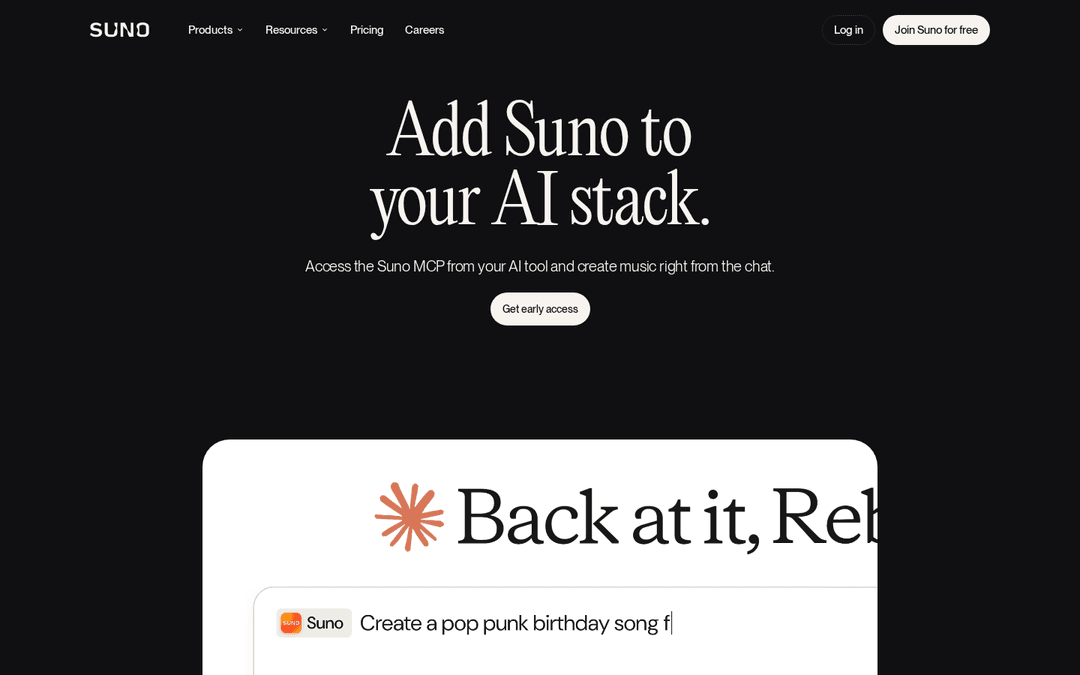
Suno released Suno MCP (beta) on October 28, 2026. Suno's own MCP server, at https://api.suno.com/mcp, lets Claude, ChatGPT, Claude Code, Gemini, Cursor and other MCP apps make songs, covers, extensions and mashups with your Suno account from a chat. You sign in with Suno, no API key. Suno says the beta supports every plan, including Free, and spends your normal Suno credits, but you may need to request early access before you can connect it.
Last checked: October 29, 2026.
How we checked: everything about Suno MCP below comes from Suno's release note, its MCP page and its help center, read on October 29, 2026. We have not run Suno's server ourselves; the song example further down went through RaoMusic's MCP server on the same day. The short listening note under those clips describes what the files sound like; press play to judge for yourself.
What is Suno MCP (beta)?
MCP (Model Context Protocol) is an open standard that lets AI assistants call outside apps. Suno MCP plugs your Suno account into an assistant you already use. According to the release note and help center, once it's connected you can:
- Create songs by talking. Describe the song, work on lyrics and style with the assistant, and Suno makes the track. Our Suno v6 prompt guide covers what to put in a description.
- Start from your own audio. Upload a voice memo or a loop and turn it into a full song.
- Remix your library. Make covers, extensions and mashups of songs you already have on Suno.
Every song lands in your Suno library, and you can add it to a playlist without leaving the chat.
How do you connect Suno MCP to Claude, ChatGPT and other apps?
The server address is the same everywhere: https://api.suno.com/mcp. Suno's setup guide gives these steps:
| App | Where to add it | Then |
|---|---|---|
| Claude | Customize → Connectors → + → Add custom connector. Name it Suno and paste the URL. | Click Connect, sign in to Suno, approve |
| ChatGPT | Plugins → Add → Add custom MCP server. Name it Suno, set the Server URL, choose Create as a plugin. | Click Connect Suno and authorize |
| Claude Code | Run the command below in your terminal | Run /mcp in a session to sign in |
| Gemini | Customize → Connectors → + → Add Custom MCP server, paste the URL, Create | Mention @Suno in a chat |
| Cursor | Customize → MCPs → New MCP Server (User), then add the URL to mcp.json | Sign in when prompted |
Claude Code command: claude mcp add --transport http suno https://api.suno.com/mcp
Other apps that accept a custom connector or custom MCP server take the same URL. It's a one-time setup per app.
How much does Suno MCP cost, and who can use it?
Suno doesn't list a separate fee for MCP. Songs made through it use the same credits as songs made on suno.com, and Suno's FAQ says the beta works with all plans, including Free. What you get depends on your plan. Suno's pricing page lists 50 credits per day on Free and 2,500 credits per month on Pro, and it marks the Free plan with "No commercial rights". If the songs are going into a video or product, check your plan's terms before you start.
Access is limited for now. The release note says to sign up for early access, and the MCP page sends you to a request form. The release note doesn't give a date for wider access.
What hasn't Suno said yet?
The release note, MCP page and help center we read on October 29, 2026 don't cover these points:
- which Suno model version the server uses, and whether you can pick one;
- a full list of the actions the server supports;
- rate limits or how many songs can run at once;
- whether the assistant shows the credit cost before it generates.
Until Suno documents these, check your credit balance on suno.com before and after a request so you can see what each song cost.
Suno MCP or RaoMusic MCP: which should you connect?
Both run as remote MCP servers you add to Claude, ChatGPT or Claude Code. The main differences are the engines and what the assistant can do with songs you already have.
| Suno MCP (beta) | RaoMusic MCP | |
|---|---|---|
| Access | Early access sign-up | Open to RaoMusic accounts |
| Sign-in | Suno account, no API key | RaoMusic sign-in for Claude, ChatGPT and Claude Code; API key for Cursor and other tools |
| Engines | Suno | RaoMusic's Suno-based Rao versions (including Suno v6), Google Lyria, Mureka, MiniMax, ACE-Step, YuE and ElevenLabs |
| Covers, extensions, mashups, your own audio | Yes, from the chat | No. The server's tools make new songs and sound effects and list your library; covers and extensions are on the website |
| Suno Voices | Yes | No |
| Price before generating | Not documented | Free price check the assistant runs first |
| Commercial use | Pro and Premier plans, per Suno's pricing page | Royalty-free commercial usage rights under the RaoMusic license |
| Spending guard | Not documented | Optional daily credit cap per key or connection |
If your songs and saved voices already live on Suno and you want covers or extensions from a chat, Suno MCP is the one to request. If you want to try several engines from one assistant and see the price before each run, the RaoMusic server is open now.
What does a song request through RaoMusic's MCP server look like?
Here is the same kind of request through RaoMusic's MCP server, which an AI assistant can use to run the Suno v6 version on RaoMusic (subscription required). From a Claude Code session we sent a one-line description. The assistant checked the cost, started the song, then checked until the songs were ready:
| Step | What the assistant called | Result |
|---|---|---|
| 1 | Price check (free) | 30 credits quoted |
| 2 | Start the song | 30 credits charged, 2 songs expected |
| 3 | Status check every 5 seconds | Both songs finished |
We sent only the description. The two 3:06 songs came back with lyrics written in Simple mode, the title "There It Goes", and a link for each.
Prompt: An upbeat indie pop song about finally shipping a side project after months of late nights, with a catchy sing-along chorus · Engine: Suno v6 · Simple mode · requested through RaoMusic's MCP server from Claude Code
Take 1
Listening note: upbeat indie pop with lyrics about late-night coding and a sing-along chorus. You can hear that the voice is AI-made, so it suits a launch video or a social post; for a single you plan to release, generate a few more takes.
Take 2
Listening note: a punchier groove with story-like lyrics and a chorus that sticks. The vocal also sounds AI-made, and the track works as is under a launch video, dev vlog or podcast outro.
Frequently Asked Questions
Suno's MCP page says some apps only let you add connectors on certain paid plans. Check whether your Claude or ChatGPT plan allows custom connectors before you request access.
Yes. Suno's FAQ says you can connect one Suno account to multiple supported assistants by following the setup steps in each one.
Yes. Suno's MCP page lists using your saved Suno Voices on tracks as one of the things you can do from the chat.
Suno's FAQ says to double-check that you entered https://api.suno.com/mcp and that you finished the Suno sign-in and approval step.
Suno may not appear in the built-in list. Suno's FAQ says to add it yourself as a custom connector with the URL https://api.suno.com/mcp, then finish the Suno sign-in.