
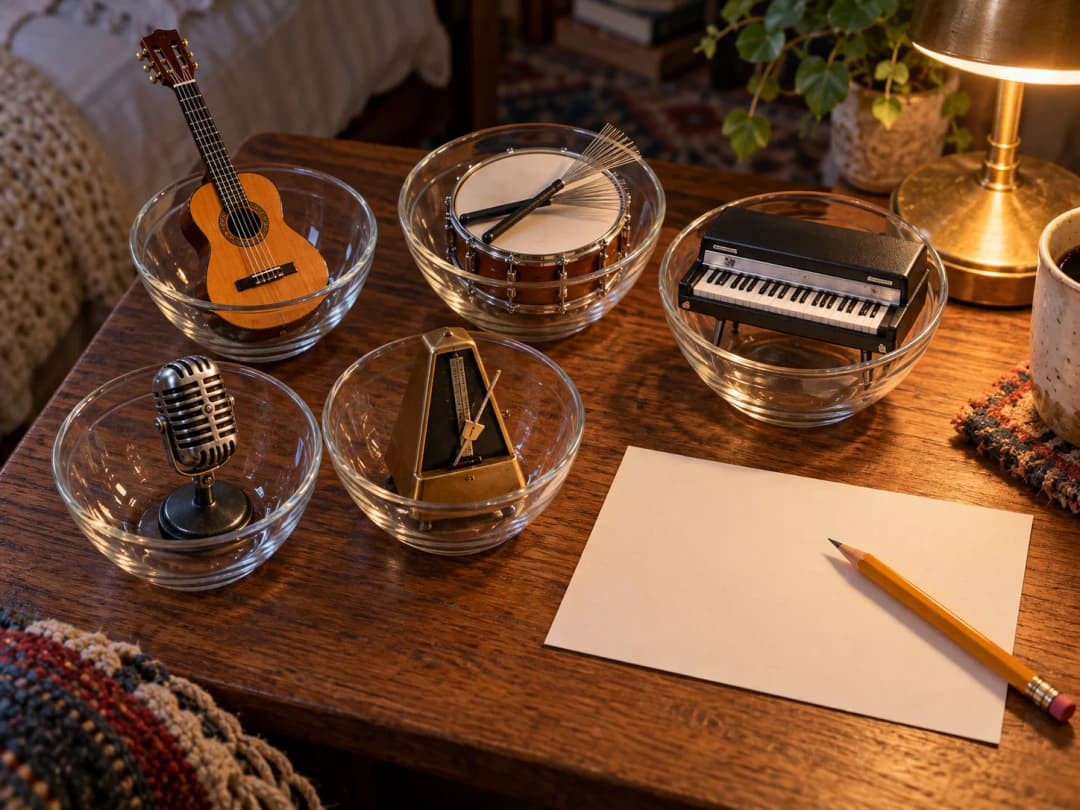
A good Suno v6 prompt puts the sound in the style box (genre, tempo, vocal, three to five instruments, mix feel) and the song's shape in the lyrics as [Verse] and [Chorus] tags. Variety Off keeps your style text as written but doesn't guarantee every sound appears. In our 10 test takes, a detailed prompt held the pace, lead guitar and arrangement; a vague one didn't, and small details like a brushed snare never showed up.
Last checked: October 27, 2026
How do you write a Suno v6 prompt?
In Custom mode a Suno v6 song has two text inputs: the style description and the lyrics. Put the sound in the style box and the song's shape in the lyrics, using section tags like [Verse] and [Chorus], one per line. Our lyrics guide covers the tag format.
A style description that covers the main decisions follows this order:
- Genre and mood: one main genre, plus a word or two for feel (bedroom pop ballad, sparse and intimate).
- Tempo: a BPM number.
- Vocal: who sings and how (close-miked female vocal).
- Three to five instruments: the ones you'd miss if they were gone.
- Arrangement or production notes: where something enters, and the texture (sub bass only in the chorus, tape saturation).
Suno's own v6 FAQ also says you can give complex instructions in Simple mode and that v6 "figures out how to get there," so a plain sentence like "Make a song that feels like midnight on a rooftop" works there. Use Custom mode when you want the sliders below and your own lyrics.
A Suno v6 prompt template you can copy
Swap the words in brackets and keep the order:
[genre], [tempo] BPM, [vocal type and delivery], [instrument 1], [instrument 2], [instrument 3], [where something enters or drops out], [texture or mix feel], [mood]
Filled in, the description we tested below reads: bedroom pop ballad, 78 BPM, close-miked dry female vocal, fingerpicked nylon-string guitar, soft brushed snare, warm Rhodes chords, sub bass only in the chorus, tape saturation, sparse and intimate.
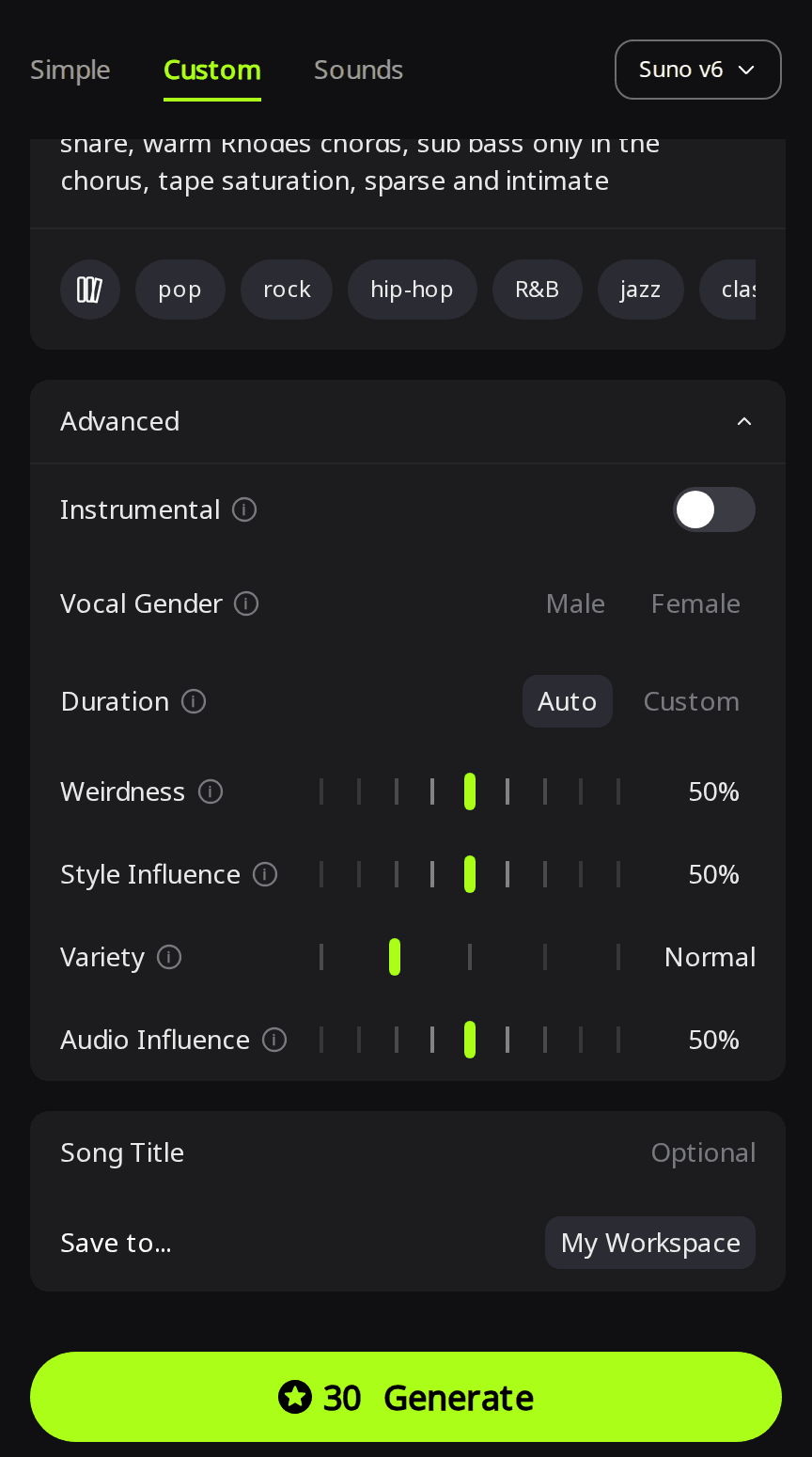
In Custom mode, set Variety to Off (0 on suno.com) if you want the text kept as written, leave Weirdness at 50% (Suno calls 50% the "normal" expected result), and put structure in the lyrics with one tag per line. For ready-made style lines by genre, see our AI music prompts list.
Where can you use Suno v6, and what does it cost?
On RaoMusic, open the studio, switch to Custom, and choose Suno v6 from the model menu. A Suno v6 run costs 30 credits and returns 2 songs. Of the three Suno tiers on RaoMusic, only Suno v6 needs a subscription; Suno v6 Wild costs 30 credits and Suno v6 Mini 20. The sliders sit under Advanced. More on each version is on the Suno model page.
Rights: Suno's help center says songs made on its free plan are for personal, non-commercial use. Songs generated on RaoMusic, on any plan, include royalty-free commercial usage rights under the commercial license, which is a license to use the music, not a transfer of copyright.
How we tested
On October 27, 2026 we wrote one set of original lyrics and generated songs with it five times on Suno v6 in RaoMusic's Custom mode, with Vocal Gender set to Female. Weirdness stayed at 50% in every run, and Style Influence at 50% except in run E. Each run returned 2 takes, so there are 10 songs, and each run cost 30 credits (150 in total). Run A is the baseline with a short description; runs B to E all use one detailed description. That gives four direct comparisons: A vs B for prompt detail, B vs C for Variety, C vs D for section cues and C vs E for Style Influence. We also compared the style description each take was actually generated from with the text we typed. Two takes per setup show what happened in these runs; they aren't proof of how a setting always behaves. The short listening note under each clip describes what that file sounds like; press play to judge for yourself.
| Run | Style description | Settings changed | Lengths |
|---|---|---|---|
| A | sad pop song, emotional | None (Variety Normal) | 2:02, 2:26 |
| B | Detailed bedroom pop description | None (Variety Normal) | 2:18, 2:17 |
| C | Same as B | Variety Off | 2:33, 2:22 |
| D | Same as B | Variety Off, cues inside the section tags | 2:02, 2:28 |
| E | Same as B | Variety Off, Style Influence 90% | 2:11, 2:10 |
The lyrics, a short breakup song we wrote for the test:
[Verse 1]
Your coffee cup is still beside the sink
I leave it there, I don't know what to think
The radio is playing something slow
I turn it up so I don't hear you go
[Chorus]
Leave the light on, leave the light on
Even if you're never coming home
Leave the light on, leave the light on
I'm not ready to be alone
[Verse 2]
Your jacket hangs behind the bedroom door
It doesn't smell like you much anymore
I tell myself tomorrow I'll be fine
Then set the table for two one more time
[Chorus]
Leave the light on, leave the light on
Even if you're never coming home
Leave the light on, leave the light on
I'm not ready to be alone
[Outro]
Leave the light on
What happens with a vague prompt?
Run A used only "sad pop song, emotional." With Variety at Normal, each take was generated from a longer description than the one we typed, and the two descriptions disagreed. One asked for a "low, dark lower-register female vocal, gritty and strained" over piano and "rounded synth bass." The other asked for a vocal "in a high, light upper register" over "acoustic guitar arpeggios and soft piano chords." When the prompt left the voice and instruments open, the two takes got different answers.
Run A, take 1:
Run A, take 2:
Listening note: both takes are sad ballads with an intimate female vocal. The first stays dynamically flat with some roughness in the vocal; the second is a piano-pop ballad with a slightly crowded mix. Either works under a video as background mood music, but the two takes sound like different songs, which is the cost of a vague prompt. If you want a specific voice or lead instrument, write it into the prompt instead of rerolling until one shows up.
What does a detailed style prompt change?
Run B used the detailed description (bedroom pop ballad, 78 BPM, close-miked dry female vocal, fingerpicked nylon-string guitar, soft brushed snare, warm Rhodes chords, sub bass only in the chorus, tape saturation, sparse and intimate) with Variety still at Normal. Suno again expanded the text, but this time both expanded versions kept every element we named and added details we hadn't asked for. One described the vocal as "high, light" and "crooning," the other said it "climbs into top notes with a powerful full-voice belt," which works against "sparse and intimate."
Run B, take 1:
Run B, take 2:
Listening note: both takes get the slow bedroom-pop pace, the fingerpicked guitar and the chorus-only sub bass. Neither has a real brushed snare. The drums are programmed lo-fi hits or hats. The first take's vocal carries reverb instead of sounding dry, and the second has a slightly phasey vocal. Both suit social video background or a temp track for a quiet film scene. A detailed prompt gives clearer direction on pace, the lead instrument and the arrangement; check the smaller details by ear.
What does Variety Off do?
Suno's v6 FAQ says the Variety slider adds variety "by adjusting and updating your style prompts," and that setting it to 0 lets you keep full control of your style tags. RaoMusic's Variety control works the same way: Off keeps both versions strictly on-style. In our runs C, D and E, all six takes were generated from our description word for word. At Normal, Suno expanded the description for all four takes in runs A and B. Variety Off keeps your text; it doesn't make every requested sound appear, as the notes below show.
Run C, take 1:
Run C, take 2 (listen for the change at 1:52):
Listening note: the first take keeps the sparse pacing, the guitar and the chorus bass, with some room reverb on the vocal and a faint electronic tap where the brushed snare should be. It works as a bedroom-pop demo or under a reflective montage. The second take has no audible brushed snare and drops into a sudden beat at 1:52 that breaks the mood.
To use a take like the second one, fade it out before the break. On RaoMusic you can also redo just that passage with Replace Section, which regenerates 10 to 60 seconds of a song, at most half of it.
Turn Variety Off when you've written a description you want followed. Leave it on Normal or higher when you want two different readings of a loose idea.
Do cues inside section tags work?
For run D we kept Variety Off and added a direction to each section tag, for example [Verse 1 | whispered vocal, nylon guitar only], [Chorus | full band enters, stacked harmonies], [Verse 2 | drums drop out, Rhodes and voice], [Chorus | full band, belted lead vocal] and [Outro | a cappella, fading].
Run D, take 1 (compare the second verse and the outro with their cues):
Run D, take 2:
Listening note: both takes follow the first cue change, a quiet verse that lifts into the first chorus. After that, the cues slip. The second verse keeps the guitar instead of turning Rhodes-led, the second chorus never becomes a belted vocal, and the outro keeps pads or guitar under the voice instead of going a cappella. The first take is dry and intimate and works as a mellow background cue.
Use section cues for broad energy changes, like quiet verse to fuller chorus. For a specific change later in the song, generate first, then try regenerating that passage with Replace Section and check whether the change appears.
Does a higher Style Influence bring missing details back?
Suno's Creative Sliders article says Style Influence sets how close you stay to your style input, from Loose to Strong. For run E we raised it to 90% with Variety Off, to see whether the brushed snare and dry vocal from the description would finally appear.
Run E, take 1 (listen to the drums and the vocal reverb):
Run E, take 2:
Listening note: both takes keep the nylon guitar and the sparse feel, but there's still no brushed snare and the vocal still has noticeable reverb. They fit a melancholy film scene or a reflective video if you don't need dry vocals or acoustic drums.
Across runs B, C and E, none of the six takes had a clear brushed snare. When a word in your description doesn't come through after two or three takes, a higher Style Influence may not fix it either. Decide whether the song works without that detail before you spend more credits on it.
What actually worked?
Across the 10 takes, three habits made the biggest difference:
- Name the voice and lead instrument. The vague prompt left them open and the two takes came back as different songs; the detailed one kept the pace, the fingerpicked guitar and the chorus-only bass in every take.
- Turn Variety Off once your description is final. All six Variety Off takes were generated from our text word for word, so you're judging your prompt, not Suno's rewrite of it.
- Use section cues for broad energy, not fine detail. Quiet verse into a fuller chorus came through every time; specific later changes didn't. Fix a single passage afterwards with Replace Section instead of rerolling the whole song.
Treat small details like one drum sound as a bonus, not a requirement: if they don't land in two or three takes, keep the take that gets the song right.
Frequently Asked Questions
Avoid it. On RaoMusic, a Suno generation whose description contains an artist name is rejected with a message saying it doesn't reference specific artists. Describe the sound instead: genre, era, vocal type and instruments.
Suno's v6 FAQ says all models before v6 have been retired and new outputs can only be made with v6 models, so an old prompt now runs on v6. Generate it once and listen before you reuse it as-is.
Yes. RaoMusic's lyrics guide says to write one tag per line, in English, even when the sung lines are not.
On RaoMusic, Duration under Advanced is Auto by default, which adapts the length to your lyrics. Set Custom for a target of 10 to 360 seconds; the song may end early if your lyrics are short.
On RaoMusic, use Audio Influence under Advanced, which balances the vocals against the instrumental; the control's tip says to turn it up for more vocal presence. It isn't available for instrumental tracks.