Do I Need a License for AI-Generated Music? Commercial Rights Explained (2026)
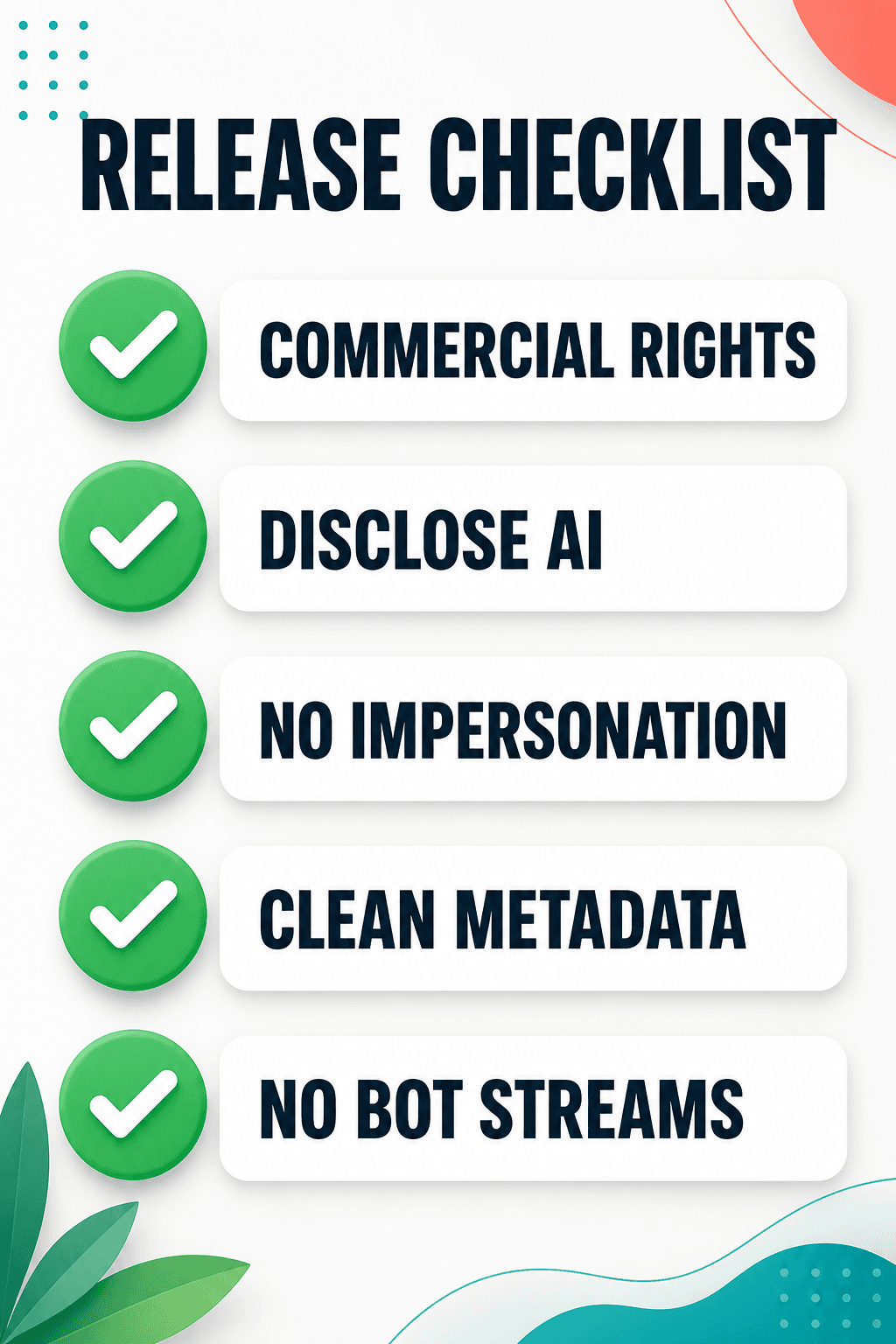
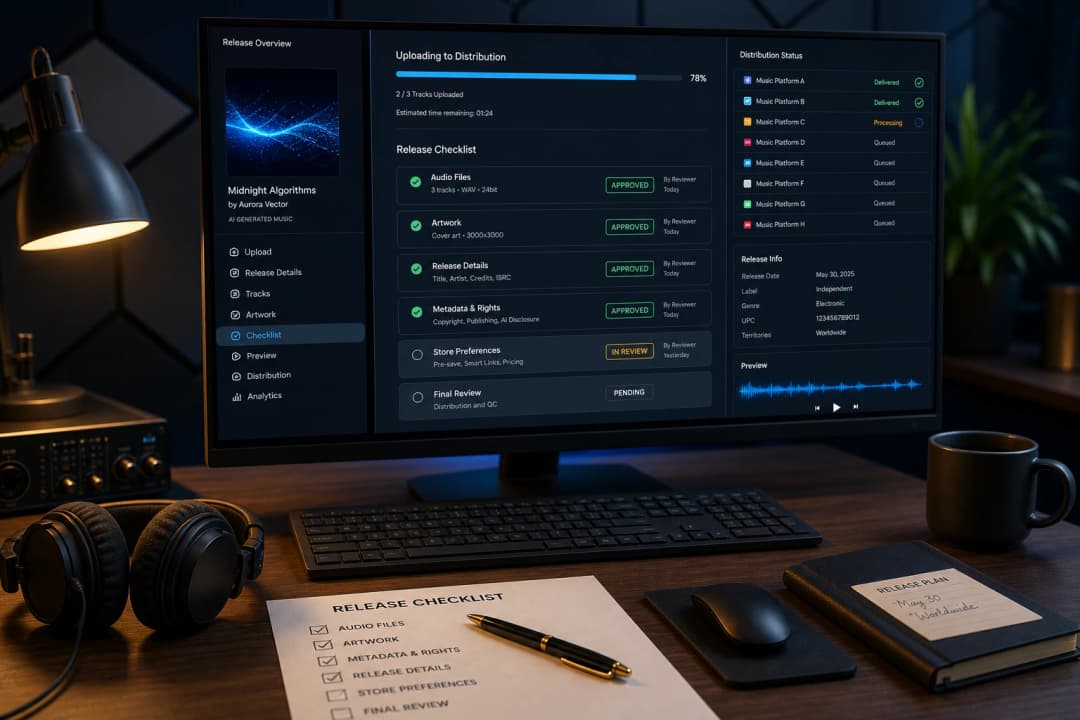
If you are asking "do I need a license for AI-generated music," the practical answer is this: before you monetize, distribute, sell, or use a track for client work, you need commercial rights from the AI music generator that created it. That permission is usually an AI music license written into the tool's terms — not a traditional license from a publisher or record label — and whether you have it depends on which tool and which plan you used. Copyright ownership, platform rules, and sync rights are separate questions stacked on top. This guide breaks down when you need a license, the difference between a license and copyright, the free-tier trap that catches the most creators, and how to get commercial-use rights you can actually rely on. For the broader copyright picture, see our AI music copyright news and rules guide . This guide is general information, not legal advice. AI music terms change quickly, so always confirm the current license terms for the tool and plan you used before relying on a track commercially. The short answer: do I need a license for AI-generated music? Yes — if you want to publish, monetize, sell, or use the track for client work, you usually need an AI music license in the form of a commercial-use grant from the tool that generated the music. For purely private listening or experimentation, you usually do not need commercial rights. For creators who want the rest of the bottom line: You need commercial-use rights from your AI music tool to publish, monetize, or sell the output. On most tools that means a paid plan; on a few it is included even on free plans. You usually do not need a traditional music license if the track is newly generated and does not contain copyrighted lyrics, samples, melodies, uploads, or other protected material. You still need the AI tool's commercial-use permission. A license is not the same as copyright. A paid plan gives you permission to use the track commercially; it does not necessarily make you the copyright owner. For video, film, or ad sync, a separate question appears : whether your tool's license grants video use and whether a buyer will accept the chain of title — which is where AI-generated output gets complicated. Three kinds of "permission" — don't confuse them AI music licensing is really three separate permissions — do not confuse them. Most confusion around licensing AI music comes from mixing up three separate things: Tool commercial-use rights. Does your AI music generator grant commercial rights for the output? This is the AI music license most creators actually need, and it may depend on whether you generated the track on a free plan, a paid plan, or a pay-as-you-go commercial plan. Platform rules. Does YouTube, Spotify, TikTok, or your distributor allow AI-generated content, and do they require disclosure? A tool's commercial license does not override a platform's AI policy. Sync and master rights. If you are pairing the music with video, film, or ads, the sync world wants a clean chain of title for both the composition and the recording — which is exactly where AI-generated output gets complicated. When someone asks "do I need a license for AI music," they almost always mean the first one. When they want to put it in a video, the third one matters too. Keeping them apart is the key to not over- or under-paying for rights you may not need. Can I use AI music commercially? When you need a license Yes, you can use AI music commercially if the tool's terms grant you commercial rights for the track and your use case is allowed. In practice, that usually means generating the song on a paid plan, or on a tool that includes an AI music commercial license with generated tracks. Whether you need a license depends almost entirely on what you plan to do with it: Personal listening or private experimentation. No commercial license needed. Free tiers of most tools allow this. Posting to your own social media non-commercially. Usually fine on free tiers, but check the tool's terms and the platform's AI rules. Monetized YouTube videos. You need commercial-use rights from your tool, plus you must follow YouTube's AI disclosure and content policies. See our YouTube AI music monetization guide . Releasing to Spotify, Apple Music, or other streamers. You need commercial-use rights and must follow your distributor's AI policy. Spotify and distributors may reject or remove content that violates spam, impersonation, or rights policies — mass-uploaded low-effort AI music is the most exposed. Client work, ads, or paid campaigns. You need commercial-use rights that explicitly cover that use, and you should keep records. Film, TV, or ad sync placement. A separate question appears: whether your tool license grants video use and whether the buyer accepts the chain of title (see below). The pattern: the moment money, publishing, or a client is involved, you need commercial-use rights from your tool at minimum. How major AI music tools handle commercial rights Tool terms change often and plan names can shift, so treat this table as a starting point and verify the current terms before relying on any AI music license for client work, distribution, ads, or sync. At publication, the general picture: Tool Free plan commercial use? Paid plan commercial use? Subscription required? Suno No (personal/non-commercial) Yes (Pro / Premier) Yes Udio Check current free-tier terms Yes (paid tiers, generally no attribution) Yes Soundraw No (preview only) Yes (paid) Yes Mureka Verify current terms Verify current terms Credit packs available RaoMusic Included with generated tracks Included with generated tracks No (pay-as-you-go credits) Two things stand out. First, on most mainstream tools the free tier is explicitly non-commercial, so you cannot monetize free-tier output. Second, the model differs: some tools tie commercial rights to a recurring subscription, while others include them with generation or offer pay-as-you-go credits. For RaoMusic, review the commercial license details before generating a track for a client, channel, or release. For a wider feature and pricing comparison, see our best AI music generators ranking . The free-tier trap: upgrading does not unlock old songs This is the single most expensive mistake creators make with AI music licensing. On tools where the free-tier output is non-commercial, upgrading later often does not retroactively grant commercial rights to songs created while you were on the free plan. Suno is the key example: songs created on its free plan are generally for personal, non-commercial use, and moving to Pro or Premier later does not automatically turn those old free-tier songs into commercially usable tracks. The practical consequence: if you generated a track on a free plan, fell in love with it, and want to use it in a monetized video or client project, upgrading your account may not help. You would typically need to create a new version while on a plan that grants commercial rights, and the new generation may not be identical. Not every tool works this way — some, including RaoMusic, include commercial-use rights from the first generated track, so you are not locked out of your own best work. But if there is any chance you will use a track commercially, generate it on a plan that grants commercial rights from the start. License vs copyright: what a paid plan actually gives you A common misconception is that paying for an AI music plan makes you the owner of the song. It usually does not. What a paid plan grants is a commercial-use license — permission to exploit the output commercially — not copyright ownership. Why this matters: You can use and monetize the track if your plan allows, but that does not necessarily give you exclusive control over similar AI-generated material someone else creates. Any exclusivity depends on protectable human authorship, the tool's terms, and the facts of the work. You cannot reliably register purely AI-generated output as your exclusive copyright , because copyright in the US requires human authorship. See our AI music copyright guide . Human-authored layers — your own lyrics, arrangement, or performance — can be copyrighted when they meet copyright standards, even when the AI-generated portions are not. That human layer is often where your real, defensible value lives. So when a tool's marketing says "commercial rights included," read it as a license to use, not as ownership of the song. How to get commercial rights for AI music To get commercial rights for AI music, focus on the plan and terms in effect when the track is generated, not just on whether the tool advertises "commercial use." A checklist that holds up in 2026: Generate on a plan that grants commercial rights for your intended use. If you might monetize, do not start on a non-commercial free tier. Read the tool's current terms , not a cached summary — plan names, prices, and license wording shift often. Confirm the license covers your specific use (streaming, client work, ads, sync), because some terms carve out limits. Keep records : the generation link or project file, the date, the plan you were on, and any license terms or certificate the tool provides. If a dispute or Content ID claim arises, this is your evidence. Disclose AI use where a platform requires it, especially for AI vocals or realistic synthetic performances. Add human authorship (your own lyrics, arrangement, or performance) to strengthen both your copyright position and your platform standing. For selling tracks specifically, see our guide on how to sell AI music online . Sync and master rights: why video use is a separate question If you want to place AI music in a video, film, ad, or game, the licensing world traditionally asks for two separate rights: Sync license (synchronization). Permission to pair the composition — the lyrics and melody — with visual media. It is paid to the composer or publisher of the song. Master use license. Permission to use a specific sound recording of that composition. It is paid to the owner of the recording. For your own AI-generated track, though, the question is not always whether you must buy a separate sync license from someone else. The question is whether your AI tool's license gives you the right to pair the output with video, and whether a client, distributor, music supervisor, or advertiser will accept the chain of title. Here AI-generated music gets hard: supervisors want proof of who owns the composition and the recording, and purely AI-generated portions often cannot provide that clean proof because there is no human author to assign rights from. The practical takeaway is not that AI music is impossible to sync. Background and low-stakes placements can work when your tool license clearly grants commercial and video use. But for film, TV, and major ad placements, buyers often want the clean copyright package that AI output struggles to provide — so lean on human-authored elements, your own lyrics and composition, where ownership is clearer. Quick reference: what you need by use case Use case Tool commercial rights? Platform rules? Sync / master issue? Personal listening No No No Non-commercial social post Usually no Check platform Low risk Monetized YouTube Yes Yes, disclosure where required Check whether the tool license permits video use Spotify / streaming release Yes Yes, distributor AI policy Usually not a separate sync issue Client work / ads Yes Depends Confirm ad/client/sync rights in the tool terms Film / TV / ad sync placement Yes Depends Yes, chain of title may be scrutinized
Can You Monetize AI-Generated Music on YouTube? (2026 Guide)
The short answer is yes - you can monetize AI-generated music on YouTube in 2026 - but only if you clear three gates: your AI tool's commercial license, YouTube's policy on AI and auto-generated content, and the copyright question of whether you actually own what you generated. Miss any one of them and the monetization falls apart. This guide breaks down what YouTube, Spotify, TikTok, and Twitch currently allow, where the real money is , and how to stay on the right side of policies that are still changing. The short answer: can you monetize AI music on YouTube? Yes, with conditions. The three things that decide whether your AI song can earn money on YouTube are: Commercial rights from your AI music tool. The platform you used to generate the song must grant commercial use. Some AI music tools let you monetize on a paid plan; others restrict it. If your tool's terms say "for personal use only," you cannot legally monetize the output anywhere, including YouTube. YouTube's AI content policy. YouTube requires you to disclose certain altered or synthetic content, and its Partner Program restricts "repetitive" or "auto-generated" content that lacks human creative value. Purely uploading AI-generated songs with no transformation is the riskiest path. Copyright ownership. In the U.S., fully AI-generated music is not copyrighted to you. This matters for Content ID registration, takedowns, and licensing - even if monetization itself is allowed. If all three gates are clear, monetization is possible. The safest path is to use AI music as part of a larger human-created video - not to upload raw AI songs as the entire content. What YouTube says about AI music in 2026 YouTube's rules on AI music sit at the intersection of two policies: its AI disclosure policy and its Partner Program (YPP) content policies . AI disclosure is required - but not for every AI track YouTube requires creators to disclose when content is "altered or synthetic" and could mislead viewers into thinking it is real. For music, this most often applies to AI-generated vocals, voice clones of a real person, synthetic narration that sounds like a real public figure, or a performance made to look like a real artist . Purely instrumental AI background music does not always trigger the same disclosure obligation - but if AI is central to the content or the audio could be mistaken for a real performance, disclose it. Disclosed content gets an "altered or synthetic" label. Failing to disclose when required can lead to removal, suspension, or loss of monetization. The label itself does not stop you from monetizing. But it signals to YouTube and viewers that the content is AI-generated, which feeds into how the next policy applies. The YPP "reused" and "repetitive content" trap This is where most AI music channels get demonetized. YouTube's Partner Program policies say channels can be denied or removed for: Reused content - uploading content you didn't create or add meaningful original value to. Repetitive content - content that appears auto-generated, templated, or mass-produced with little variation. A channel that uploads hundreds of raw AI-generated songs, each with a static image, looks exactly like the pattern YouTube flags as "repetitive" or "auto-generated." Even if every song is technically original, the format triggers the policy. This is the single biggest reason AI music channels lose monetization. The human-creativity test YouTube evaluates whether there is meaningful human contribution. Writing your own lyrics, editing the song, building a real video around it, narrating, or curating a themed channel all help. Uploading the raw output of a prompt with a stock image does not. The copyright problem: do you own the AI song? Even if YouTube lets you monetize, you may not own the song - and that affects everything downstream. The U.S. Copyright Office has consistently held that works generated entirely by AI, without meaningful human authorship, are not copyrightable. International rules vary - for example, the UK has a concept of "computer-generated works," though how it applies to modern generative AI is still debated. In the U.S., you can use AI-generated output and in many cases monetize it, but you cannot stop someone else from also using the purely AI-generated portions. Key implications: You cannot reliably register a fully AI-generated song with Content ID, because you don't hold an exclusive copyright to enforce. You cannot file a takedown based solely on the AI-generated portions, because you don't own exclusive rights to those. But if someone copies your human-authored elements - your original lyrics, your vocal performance, your unique arrangement, your cover art, or your video - you may still have enforceable rights in those parts. If you add meaningful human authorship - your own lyrics, a unique arrangement, a vocal performance - that human-authored layer can be copyrighted, even if the AI-generated instrumental underneath is not. This is why the most defensible AI music channel treats the AI output as raw material, not as the finished product. Content ID and AI music: the catch Content ID is YouTube's system for detecting and monetizing copyrighted audio. Registering a song in Content ID lets you claim matches and earn from them. For AI-generated music, this is risky: Multiple users of the same AI tool can generate similar or overlapping audio. If you register AI output in Content ID, you may claim content you don't actually own exclusively - leading to false claims and disputes. Distributors and rights holders are increasingly cautious about accepting AI-generated music into Content ID because of these ownership ambiguities. YouTube has been updating how it handles AI-generated and synthetic audio in its rights systems. Before registering anything, check YouTube's current Content ID policy for AI content. The practical takeaway: do not assume you can register AI songs in Content ID the same way you would a fully human track. Treat Content ID registration as a separate decision that requires clear ownership. Will AI music get a Content ID claim? This is a different question from "can I register my own AI song in Content ID." Even if you can't register your AI track, your AI track can still receive a claim from someone else. If your AI-generated song resembles an existing copyrighted work, YouTube's Content ID may flag it and a rights holder can claim your revenue. Avoid prompts that ask for a specific artist's style ("make a song like Taylor Swift") or AI vocals imitating a real singer - these are the most common triggers for claims, copyright strikes, and takedowns. A commercial-use license from your AI tool does not automatically defeat a Content ID claim. The claim is about whether your audio matches existing copyrighted content, not whether you had the right to generate it. Keep proof of your generation process and your tool's commercial license. If you receive a claim you believe is incorrect, you can dispute it - but only do so with a legitimate basis. Understand the difference between a Content ID claim (revenue redirected, no penalty), a copyright strike (a formal DMCA takedown with channel penalties), and a YouTube policy violation (demonetization or removal). They are not the same thing. This is also why royalty-free AI music is not a magic shield: "royalty-free" refers to your license with the AI tool, not to whether the output accidentally matches existing music. Three ways to monetize AI music on YouTube Not all monetization paths carry the same risk. Here are the three main ones, from safest to riskiest. Path 1: Use AI music as background in human-created videos (safest) This is the most defensible way to earn from AI music. You create the video - a tutorial, vlog, review, story, or performance - and use your AI-generated track as background music. The video has clear human authorship, so it passes YouTube's reused/repetitive content checks. You monetize through the YouTube Partner Program normally. Make sure your AI tool grants commercial use for the music. Most successful "AI music" creators actually do this. The AI song is a tool, not the product. Path 2: Build a themed music channel (medium risk) You run a channel focused on a genre or mood - lo-fi beats, sleep music, cinematic soundscapes, focus music - and publish AI-generated tracks with real visual work (animated visuals, lyric videos, themed artwork). To survive YPP review, add genuine human value: custom visuals, consistent branding, curated playlists, written descriptions. Avoid uploading dozens of near-identical raw songs with static images. Disclose AI use where required. This works, but it is where the "repetitive content" policy bites hardest. Volume without variation gets flagged. Path 3: Upload raw AI songs as the content (highest risk) Uploading AI-generated songs one after another with minimal editing is the most likely to be demonetized or denied YPP. It looks auto-generated, it may lack copyright protection, and it offers little human value. Avoid this as a primary strategy. What about Spotify, Apple Music, and distributors? Many creators want their AI music on Spotify and Apple Music, using YouTube as the discovery layer. This is possible, but distributors (DistroKid, TuneCore, and others) and platforms have tightened rules: Several major distributors now require you to declare AI-generated content and may restrict or remove it. Spotify's policies target artificial streaming and low-value content. Mass-uploading AI music to farm royalties has led to takedowns and account bans. Content ID-style monetization through distributors faces the same ownership problem as YouTube. If your goal is streaming revenue, treat AI music like any release: curate, edit, package it with real artwork and metadata, and follow each distributor's AI policy. Do not mass-upload. YouTube vs TikTok vs Spotify vs Twitch for AI music Different platforms reward AI music differently. Here is how they compare in 2026. Platform AI disclosure Monetization Best use for AI music YouTube Required for realistic altered/synthetic content YPP ad share (human-created content preferred) Music as background in videos; themed channels with real visuals TikTok AI-generated label required Creator Fund / Creativity Program; sounds can trend Short hooks; viral sound clips Spotify Anti-artificial-streaming policy Per-stream royalties via distributor Curated releases, not mass uploads Twitch DMCA-focused; original AI music is fine Subs, ads (DMCA risk if playing copyrighted music) Original AI background music for your own streams YouTube and TikTok are the strongest discovery platforms; Spotify is for packaged releases; Twitch is for using AI music safely inside your own live content. The license question: what does your AI tool allow? Before any of the platform stuff matters, you have to know what your AI music tool permits. Terms vary widely: Some grant full commercial use on paid plans and personal-use-only on free plans. Some grant commercial use but do not transfer copyright - you can monetize, but you don't exclusively own the song. Some restrict monetization on certain platforms or require attribution. Here is how popular AI music tools generally handle commercial use. Terms change frequently - always verify the current license on each tool's site before monetizing. Tool Free plan commercial use? Paid plan commercial use? Copyright transferred to you? Suno No Yes (Pro / Premier) No Udio No Yes (Standard / Pro) No Soundraw No Yes No AIVA No (CC non-commercial) Yes (Pro) No Mubert No Yes No RaoMusic - Yes No - commercial use, not ownership With RaoMusic, generated music can be used commercially - you can publish it, monetize it on YouTube, and use it in client work - but you do not own the copyright to the generated output. That means you can use it and earn from it, but you cannot stop another user from generating and using a similar track, and you cannot register it as your exclusive property. For most YouTube creators, this is enough. For Content ID registration or exclusive licensing, it is not. Always read your tool's current terms before publishing. This is the one gate you fully control. Step-by-step: monetize AI music on YouTube safely Generate your song with a tool that grants commercial use. Write your own lyrics where possible to add human authorship. Edit the track. Trim, arrange, master lightly, or layer it with your own voice or performance. Raw output is harder to defend. Build a real video around it. Lyric video, animated visualizer, performance clip, or themed imagery - not a single static frame. Disclose AI-generated content in YouTube Studio where required (AI vocals, voice clones, realistic performances). Write honest titles, descriptions, and tags. Avoid implying the music is fully human-made if it isn't. Meet YPP thresholds - these vary by monetization method. Long-form AdSense typically requires 1,000 subscribers and 4,000 watch hours; Fan Funding (memberships, Super Chat) and Shorts have different, often lower thresholds. Verify the current requirements for your target monetization method. If distributing to Spotify, follow your distributor's AI policy and avoid mass uploads. Keep records of your tool's commercial license and your creative process, in case of a dispute. Common mistakes that get AI music channels demonetized Mass-uploading raw AI songs with static images. This is the fastest way to trigger the repetitive-content policy. Not disclosing AI content when required (AI vocals, voice clones, realistic performances). Treat disclosure as mandatory in those cases. Registering AI music in Content ID without clear exclusive ownership, leading to false claims and disputes. Using a tool without commercial rights. If your tool only allows personal use, no amount of editing makes monetization legal. Implying human authorship that isn't there. Misleading metadata can trigger policy reviews. Ignoring distributor AI policies when uploading to Spotify, leading to takedowns or banned accounts. The bottom line You can monetize AI-generated music on YouTube in 2026 - but not by uploading raw songs at scale. The creators who succeed treat AI music as raw material, add real human value on top, disclose AI use honestly, and use tools with clear commercial licenses. Do that, and AI music becomes a legitimate revenue stream. Skip those steps, and demonetization is only a matter of time.
How to Sell AI Music Without Being a Musician (2026 Guide)
You don't need to play an instrument, read sheet music, or know music theory to sell music in 2026. AI music tools let you generate original tracks from a text prompt - and if you have the right commercial license, you can sell those tracks to creators, brands, and platforms. The hard part isn't making the music anymore. It's knowing where to sell it, what your license allows, and setting realistic expectations. This guide covers the 5 real ways to sell AI-generated music, the license check that decides whether you're allowed to, and what you can actually expect to earn. What "selling AI music" actually means "Selling music" sounds simple, but it splits into very different business models. Before you pick one, understand what you're actually selling: Selling a track outright - a client pays you for a finished piece of music (a jingle, a background track, a game loop). Selling a license - you keep ownership and grant someone the right to use the track under terms (this is how stock music works). Earning royalties - you upload to streaming platforms and earn per stream via a distributor. Selling a service - you offer custom music creation (e.g., "I'll make a background track for your podcast"). AI music fits all four, but the license from your AI tool decides which ones are actually allowed. More on that below. Do you need to be a musician? No - but you need a different set of skills. Making the music is now the easy part. What you actually need: Curation - the ability to pick which AI-generated tracks are good enough to sell. AI generates a lot of mediocre output; your job is to filter. Prompting - knowing how to describe the genre, mood, tempo, and instrumentation you want. This is a learnable skill, not a talent. Editing and arranging - trimming, looping, layering, or mastering the AI output so it sounds polished, not raw. Packaging and marketing - cover art, titles, descriptions, and knowing where buyers actually look for music. License literacy - understanding what your AI tool permits (covered next). None of these require reading music or playing an instrument. They require taste, patience, and business sense. The license check: are you even allowed to sell? This is the gate that kills most "sell AI music" plans. Before anything else, check what your AI tool's terms allow: Personal use only - you cannot sell the output. Period. Many free AI music tools fall here. Commercial use on paid plans - you can sell, but only while subscribed. Cancel and you lose rights to new tracks. Commercial use, no copyright transfer - you can sell and monetize, but you don't own the copyright. You can't stop another user from generating a similar track, and you can't register it as exclusive. Restricted platforms - some tools limit where you can monetize (e.g., YouTube yes, Spotify no). With RaoMusic, generated music can be used commercially - you can sell tracks, license them to clients, and use them in monetized content - but you do not own the copyright to the generated output. This is enough for simple models like track packs and basic freelance work. But for stock licensing, brand deliverables, or exclusive deals, buyers may expect exclusivity, indemnification, or copyright ownership that AI-generated output can't provide. Be honest about the limits. What commercial use does and does not give you Right Covered by commercial-use license? Watch out Use in monetized videos Often yes Platform content policies still apply Sell non-exclusive track packs Often yes Disclose limits clearly to buyers Custom music for clients Sometimes Don't promise ownership unless you can transfer it Exclusive licensing Usually no Requires copyright or control you don't have Register copyright Usually no for purely AI output Human-authored elements (lyrics, arrangement) may qualify Content ID registration Often restricted Can cause false claims and disputes Always read your tool's current terms before selling anything. This is the one gate you fully control. The 5 ways to sell AI music in 2026 1. Sell background music to content creators YouTubers, podcasters, and TikTok creators need royalty-free background music constantly. You can package AI-generated tracks into themed packs (lo-fi, focus, cinematic, upbeat) and sell them on platforms like Gumroad, Patreon, or your own site. Best for : volume sellers who can curate and package well Pays : $5-50 per pack, recurring if you build a catalog License needed : commercial use 2. Sell custom music to brands and businesses Brands need jingles, ad backgrounds, event music, and product launch tracks. You can offer custom AI music creation as a service - the client describes the vibe, you generate and refine. Best for : freelancers who can pitch and communicate Pays : $100-2,000+ per project License needed : commercial use + client usage rights 3. Upload to streaming platforms (Spotify, Apple Music) You can distribute AI-generated music to Spotify and Apple Music via distributors like DistroKid or TuneCore. But this is the most restrictive path in 2026. Spotify doesn't broadly ban AI music - it targets artificial streaming, impersonation, voice cloning, deceptive metadata, and spam uploads. Mass-uploading AI music to farm royalties gets accounts banned. Best for : artists building a catalog over time Pays : $0.003-0.005 per stream on average (varies by country, listener plan, and distributor; before distributor cut) License needed : commercial use + distributor's AI policy compliance Warning : see our guide on monetizing AI music on YouTube for the policy details. 4. Sell music to game and app developers Indie game developers, app makers, and VR creators need loops, soundscapes, and themes. AI music fits well because developers often need many variations quickly. Best for : sellers who can deliver variation and loops Pays : $50-500 per track or pack, sometimes ongoing royalties License needed : commercial use + integration rights 5. Offer freelance music creation Platforms like Fiverr and Upwork have buyers looking for custom music - podcast intros, YouTube channel themes, meditation audio, birthday songs. You can fulfill these with AI music, packaged professionally. Best for : sellers who can market and deliver fast Pays : $20-300 per gig License needed : commercial use Best platforms to sell AI music in 2026 Platform What you sell Difficulty Realistic pay AI policy note Gumroad / own site Track packs Low $5-50 per pack You set the license terms Fiverr / Upwork Custom tracks Medium $20-300 per gig Disclose AI-assisted creation; don't promise copyright transfer Direct to brands Jingles / ad music High $100-2,000+ per project Buyers may want exclusivity you can't give Spotify / Apple Music Streaming catalog Medium $0.003-0.005 per stream No artificial streaming, impersonation, or spam uploads Game dev marketplaces Game loops / themes Medium $50-500 per track Buyers need loop points, stems, file formats Stock libraries (AudioJungle, Pond5) Licensed tracks Medium Varies Some reject AI music or require disclosure - check each before uploading The fastest start for most beginners is selling track packs on Gumroad or doing simple freelance gigs. Direct-to-brand and streaming are higher ceiling but harder to break into. Step-by-step: start selling AI music Pick an AI tool with commercial use - confirm the license allows selling. RaoMusic grants commercial use. Choose one channel to start - don't try all five. Pick the one that fits your skills (packs if you curate well, freelance if you communicate well). Generate and curate - create 10-20 tracks in a niche, keep only the best 5-8. Quality over quantity. Edit and polish - trim, loop, master lightly. Raw AI output is harder to sell. Package it - cover art, clear titles, descriptions. Buyers judge packaging first. List it - upload to your chosen platform with clear licensing terms. Market it - share samples where your buyers are (creator communities, social media, niche forums). Keep records - save your AI tool's commercial license proof and your creation process, in case of disputes. Common mistakes that kill AI music sales Selling without commercial rights - if your tool only allows personal use, no amount of marketing makes selling legal. Mass-uploading raw tracks - buyers want curated, polished work, not a dump of 50 unedited AI files. Ignoring packaging - great music with bad cover art and no description doesn't sell. Trying every channel at once - you'll do none well. Pick one, master it, then expand. Promising exclusive ownership you don't have - if your AI tool doesn't transfer copyright, don't sell it as exclusive. Be honest about the license. Spamming streaming platforms - mass-uploading AI music to farm royalties gets accounts banned. How much can you actually make? Be realistic. Selling AI music is not passive income that appears overnight. Typical first-year earnings: Track packs on Gumroad : $0-200/month after building a small catalog Freelance gigs : $100-1,000/month depending on hustle Streaming : near-zero for new, unknown catalogs (most tracks get under 100 streams) Direct to brands : $500-5,000 per deal, but deals are infrequent for beginners The people who make real money treat it as a business: consistent output, real curation, honest licensing, and marketing. The people who fail treat AI as a get-rich-quick button. The bottom line You can sell AI-generated music in 2026 without being a musician - but not without effort. The music is the easy part now; curation, licensing, packaging, and marketing are where the actual work is. Pick one channel, confirm your commercial license, curate hard, and be honest about what you're selling. Do that, and selling AI music becomes a legitimate income stream. Assume it's easy money, and you'll earn nothing.
How to Start AI Music Production for Beginners (2026 Guide)
In 2026 you can produce a complete song — vocals, instruments, arrangement, and mix — with no instruments, no digital audio workstation (DAW), and no music theory. AI music production has lowered the barrier so far that the hard part is no longer making the audio; it is knowing what you want and describing it. This guide is the beginner workflow, from first prompt to a finished track you can actually use. We will use RaoMusic for the steps, but the workflow applies to any capable AI music generator. If you want a wider tool comparison first, see our best AI music generators ranking . The short answer: how do I start making music with AI? The beginner workflow in five steps, from idea to an exported track. The entire beginner workflow is five steps: Pick an AI music tool and create a free account. Decide what you want — a style, a mood, a use (background music, a full song with vocals, a jingle). Write a prompt or your own lyrics describing the song you want. Generate, listen, and refine — pick the best take, regenerate, or edit sections. Export and use it — download the track and use it under the tool's license. You do not need a DAW (like Ableton or FL Studio), you do not need to read music, and you do not need a microphone unless you want to add your own voice. A browser and an idea are enough to start. What you actually need to begin Far less than most beginners assume: A device with a browser. A laptop is ideal; a phone works for generating on the go. An AI music generator account. Free credits are enough to make your first tracks. An idea of what you want. A genre, a mood, a scene, or some lyrics. Vague is fine to start — you will refine it. Optional but helpful: your own lyrics or a reference. The more specific your input, the closer the output lands. You do not need a DAW, samples, plugins, an audio interface, or any music training. Those matter for advanced production later, not for your first song. Step 1: Pick an AI music tool For beginners, the right tool is one that is easy to use, generates full songs (vocals or instrumental), and gives you commercial-use rights if you might publish the track. RaoMusic does all three and works in 10 languages, which makes it a strong default for this guide. Create a free account so you have credits to experiment with. You will not need to pay anything to make your first few songs and decide whether the workflow suits you. If you are comparing options, our AI music generator comparison covers Suno, Udio, Mureka, Soundraw, and Boomy alongside RaoMusic, including which plans grant commercial rights. Step 2: Decide what you want to make Before you write a prompt, get clear on three things. Vague answers are fine — you will sharpen them as you go. Format: A full song with vocals, an instrumental bed, a short loop, or a jingle? Genre and mood: Pop, lo-fi, cinematic, rock, EDM, hip-hop, ambient? Happy, sad, energetic, calm, nostalgic? Use case: Personal enjoyment, a YouTube video, a podcast intro, a client project, or a release to streaming? The use case matters for licensing later. If there is any chance you will publish or monetize the track, keep that in mind from the start — see our guide on whether you need a license for AI music . Step 3: Write a prompt or your own lyrics This is the core skill of AI music production: describing the song you want clearly. Two approaches: Write a prompt describing the song. Include genre, mood, tempo feel, instrumentation, and vocal style. Example: "An upbeat lo-fi pop song with warm electric piano, soft drums, and a female vocal, about a quiet Sunday morning, nostalgic and hopeful." Write your own lyrics and let the AI build the music around them. This gives you more creative control and strengthens your copyright position, because the lyrics are your human authorship. Need help writing lyrics? Try an AI lyrics generator , or see our guide on how to write a love song for lyric structure that transfers to any genre. A few tips that immediately improve results: Name a genre and a mood in every prompt — these two shape the output more than anything. Specify vocals or instrumental explicitly so you do not get one when you wanted the other. Mention instruments you want (piano, acoustic guitar, synth, strings) and ones to avoid. If you want a specific structure (verse-chorus, intro-build-drop), say so. Step 4: Generate, listen, and refine When you generate, RaoMusic produces a pair of takes so you can compare and pick the stronger one. Treat the first generation as a draft, not a final. Pick the better take and ignore the weaker one. Regenerate if both miss. Small wording changes to the prompt — swapping the mood word or naming a different instrument — often fix a track that feels off. Refine specific sections. If you like most of the song but one part fails, use section-level editing (change lyrics in a verse, extend a chorus, or strip vocals to get an instrumental version) instead of regenerating the whole thing. Try variations. Generate an instrumental version of a vocal track for use as background, or swap the style to hear the same song in a different genre. This refine loop is where beginners level up fastest. Most satisfying tracks come from two or three rounds of tweaking, not from the first click. Step 5: Export and use your track Once you are happy with a take, export it. Before you publish or monetize, confirm what rights you have: Personal use needs nothing beyond the tool's basic terms. YouTube, podcasts, social, client work, or streaming needs commercial-use rights. RaoMusic includes commercial-use rights with generated tracks without requiring a subscription — but always confirm the current terms for your specific use. Keep a record of the track, the prompt or lyrics you used, and the license terms, in case of a dispute or Content ID claim. For the licensing details, see do I need a license for AI-generated music . If you plan to release the track to Spotify or Apple Music, see our guide on monetizing AI music on YouTube and beyond . Beginner mistakes to avoid Skipping the genre or mood. Without these, the AI guesses, and the result usually feels generic. Treating the first generation as final. The refine loop is where good tracks become great. Publishing without checking rights. Free tiers on some tools are non-commercial; publishing that output can cause takedowns or lost monetization. Overloading the prompt. Ten conflicting instructions confuse the model. Two or three clear directions beat ten vague ones. Ignoring human authorship. Your own lyrics, arrangement choices, or performance are the parts you can actually own and defend.