

To keep an AI song from cutting off, give the lyrics a short [Outro] section and an [End] tag, and don't set a target length shorter than the lyrics need. That's what worked in our Suno v6 test on RaoMusic: an upbeat song whose lyrics stopped at the last chorus cut off mid-bar in both takes, and with [Outro] and [End] added, both rang out to a clean stop. A 60-second target still cut both off.
Last checked: October 27, 2026
Why do AI songs end abruptly?
Two things made our test songs cut off:
- The lyrics ran out with no ending section. When the lyrics stopped at the second chorus, both takes kept going with extra vocal runs or repeated hooks and then stopped mid-bar.
- The length target was shorter than the lyrics. With a 60-second target and two verses, two choruses and an outro to sing, both takes reached the outro and cut off before finishing it.
The slow ballad avoided an abrupt cut-off in all eight takes, with or without an ending tag, though one take without a tag lingered without a firm resolution.
How do you end an AI song properly?
- Write an ending section. Add an [Outro] tag after your last chorus with one short closing line, so the song has somewhere to land.
- Add an ending tag on its own line. RaoMusic's lyrics guide describes the two options: "[Fade Out] trails away; [End] stops clean."
- Describe the ending in the style text for slow songs. A phrase like "ends on a final ringing guitar chord," plus a cue such as [Outro | voice and guitar only, slowing down], gave us a slowed ending with a ringing chord in both takes.
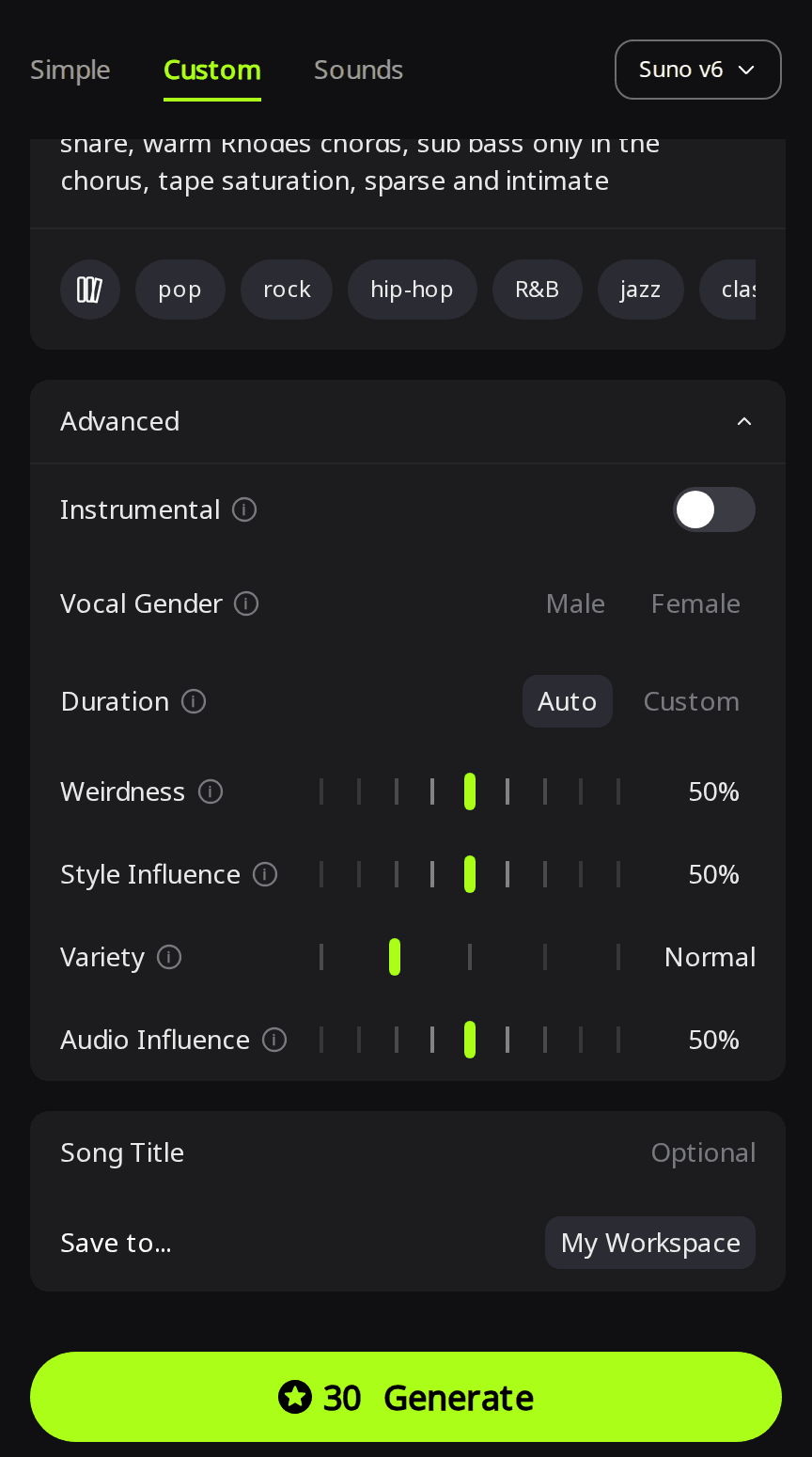
- Leave Duration on Auto unless you need a set length. In RaoMusic's Custom mode, Duration sits under Advanced. Auto is meant to fit the length to your lyrics; a Custom target shorter than our lyrics cut the song off.
- Play the last 20 seconds before you use the song. If it still cuts off, see the fixes at the end of this guide.
How we tested
On October 27, 2026 we generated one set of original lyrics on Suno v6 in RaoMusic's Custom mode, with Vocal Gender set to Female and Variety set to Off, which Suno's v6 FAQ says keeps full control of your style tags. We used two styles: a slow bedroom pop ballad (bedroom pop ballad, 78 BPM, close-miked dry female vocal, fingerpicked nylon-string guitar, soft brushed snare, warm Rhodes chords, sub bass only in the chorus, tape saturation, sparse and intimate) and an upbeat pop rock version (upbeat pop rock, 128 BPM, driving live drums, bright electric guitars, punchy bass, confident female vocal). We generated six setups for this test, each returning 2 takes, at 30 credits per run. The two ballad takes without an ending tag are reused from an earlier test of ours with the same lyrics and settings, for 14 takes in all.
We also measured how loud each file's final second of sound is. A very quiet last second means the sound had faded or rung out; a last second about as loud as the song (around −14 to −19 dBFS here) means it stopped at full volume. It's a rough check, since loudness alone can't tell a planned stop from a cut; the listening notes do that. The short listening note under each clip describes what that file sounds like; press play to judge for yourself.
| Style | Ending setup | Lengths | Last second (dBFS) | Ending heard |
|---|---|---|---|---|
| Upbeat | Lyrics stop at last chorus, no tag | 1:56, 1:31 | −18.8, −28.0 | Cut off mid-bar (both) |
| Upbeat | [Outro] + [End] | 1:56, 1:41 | −21.9, −25.8 | Rings out to a clean stop (both) |
| Upbeat | [Outro] + [End], Duration 60 s | 1:07, 1:03 | −20.0, −24.8 | Cut off in the outro, before it finishes (both) |
| Ballad | [Outro], no tag | 2:33, 2:22 | −42.0, −40.0 | Decays to silence (both) |
| Ballad | [Outro] + [Fade Out] | 2:19, 2:21 | −34.7, −41.9 | Take 1 chord decay; take 2 smooth fade-out |
| Ballad | [Outro] + [End] | 2:23, 2:22 | −41.6, −39.9 | Rings out to silence (both) |
| Ballad | Final-chord cue + [End] | 2:32, 2:23 | −47.6, −40.0 | Slows down, chord rings out (both) |
The full lyrics and the exact ending lines for each setup are at the end of this article.
What happens when the lyrics end on a chorus?
Here the lyrics stop on the second chorus, with no [Outro] and no ending tag.
Lyrics end on the chorus, take 1:
Lyrics end on the chorus, take 2:
Listening note: after the second chorus, take 1 drifts into a vocal run we didn't write and take 2 repeats the hook; both then stop abruptly mid-bar. Neither ending is usable as is. To keep one for background use under a video, trim it before the extra vocals and add a short fade.
The same song with the [Outro] line and an [End] tag added:
With [Outro] and [End], take 1:
With [Outro] and [End], take 2:
Listening note: both takes end with the closing vocal and ring out to a clean stop, take 1 on a sustained vocal and guitar decay and take 2 on a held instrumental chord. Neither ending needs an edit.
What happens when the length setting is too short?
Here the lyrics keep [Outro] and [End], and Duration is set to Custom, 60 seconds. RaoMusic's Duration tip warns that the song may end early if your lyrics are short; here the lyrics were long for the target.
Duration 60 s, take 1:
Duration 60 s, take 2:
Listening note: both takes sing both verses and both choruses, reach the outro and cut off mid-phrase before finishing it, take 2 as the outro begins and take 1 a few seconds in. They work only as background if you fade them out earlier, around the end of the second chorus.
If you need a short song, write fewer lyrics to match the length, for example one verse and one chorus plus the outro, or leave Duration on Auto and trim afterward.
Do [Fade Out] and [End] change a slow song's ending?
On the ballad, every setup ended without a cut, including the one with no ending tag. Across these eight takes, the tag changed how the song ended rather than whether it ended cleanly.
[Outro], no ending tag, takes 1 and 2:
Listening note: without a tag, the outro line is followed by a decaying guitar note; the other take of that setup lingers on a vamp and would need a short fade for a standalone release.
[Outro] + [Fade Out], takes 1 and 2:
Listening note: with [Fade Out], take 2 trails into a smooth fade to silence, and take 1 ends on a decaying Rhodes chord instead.
[Outro] + [End], takes 1 and 2:
Listening note: with [End], take 1's guitar rings out cleanly and take 2 ends on a soft vocal echo that decays with the guitar.
Final-chord cue + [End], takes 1 and 2:
Listening note: the final-chord cue slowed down into a sustained guitar chord in both takes, with take 2 ending on solo guitar; take 1 leaves a few quiet seconds at the very end that are worth trimming.
Both [End] takes can be used as they are. If the song has to end exactly on the last sound, trim the second or so of silence they leave. For a slow song, pick the tag for the ending you want, and add a style phrase when you want a specific final sound.
How do you fix a song that already cuts off?
- Extend it. RaoMusic's lyrics guide suggests Extend when a song cuts off, starting the new lyrics with [Bridge] or [Outro]. The Extend guide shows how to keep the opening and regenerate everything after a cut point you choose, so pick a point just before the ending goes wrong and give the new part an [Outro] and [End].
- Fade it yourself. Trim to the end of the last full chorus and add a short fade in any audio editor. For the cut-off upbeat takes, the listening notes suggest exactly this if you only need background music.
- Regenerate with an ending. If the lyrics have no ending section, add [Outro] and [End] and run it again in Custom mode.
What lyrics and ending lines did we use?
The lyrics, a short breakup song we wrote for the test (in the upbeat no-tag run the lyrics ended after the second chorus; the other runs added the ending lines below):
[Verse 1]
Your coffee cup is still beside the sink
I leave it there, I don't know what to think
The radio is playing something slow
I turn it up so I don't hear you go
[Chorus]
Leave the light on, leave the light on
Even if you're never coming home
Leave the light on, leave the light on
I'm not ready to be alone
[Verse 2]
Your jacket hangs behind the bedroom door
It doesn't smell like you much anymore
I tell myself tomorrow I'll be fine
Then set the table for two one more time
[Chorus]
Leave the light on, leave the light on
Even if you're never coming home
Leave the light on, leave the light on
I'm not ready to be alone
[Outro]
Leave the light on
The ending lines each setup added after the second chorus, one per line:
[Outro], no tag:
[Outro]
Leave the light on
[Fade Out] and [End] setups: the same two lines, then [Fade Out] or [End] on its own line.
Final-chord cue (with "ends on a final ringing guitar chord" added to the style text):
[Outro | voice and guitar only, slowing down]
Leave the light on
[Final chord rings out]
[End]
Frequently Asked Questions
In the lyrics box, each on its own line after your last lyric line. RaoMusic's lyrics guide says to write one tag per line, in English, even when the sung lines are not. Words that describe how the ending should sound go in the style box.
Use [Fade Out] for a song that trails away under a video or into the next track, and [End] for a song that should finish on a final hit or chord. Either way, play the ending back before you use it.
No. The length setting can override it: both 60-second takes in our test had [Outro] and [End] in the lyrics and still cut off in the outro.
No. Extend keeps the opening up to a cut point you choose and regenerates everything after it, so the old ending is replaced by the new part.
No. Tags are part of the lyrics you submit, so the run costs the same. On RaoMusic a Suno v6 run is 30 credits for 2 songs, and Suno v6 Mini is 20.