

To make a birthday song with AI, give the generator the person's name, a few real details (age, a hobby, a running joke) and the style they like. On RaoMusic, the Birthday Song Generator turns a name and a short message into lyrics and a sung song, and one 20-credit run gives you two versions. Before you share it, check how the name is sung; if it's wrong, spell it the way it sounds and generate again.
Last checked: October 28, 2026
What is the quickest way to make a birthday song with their name?
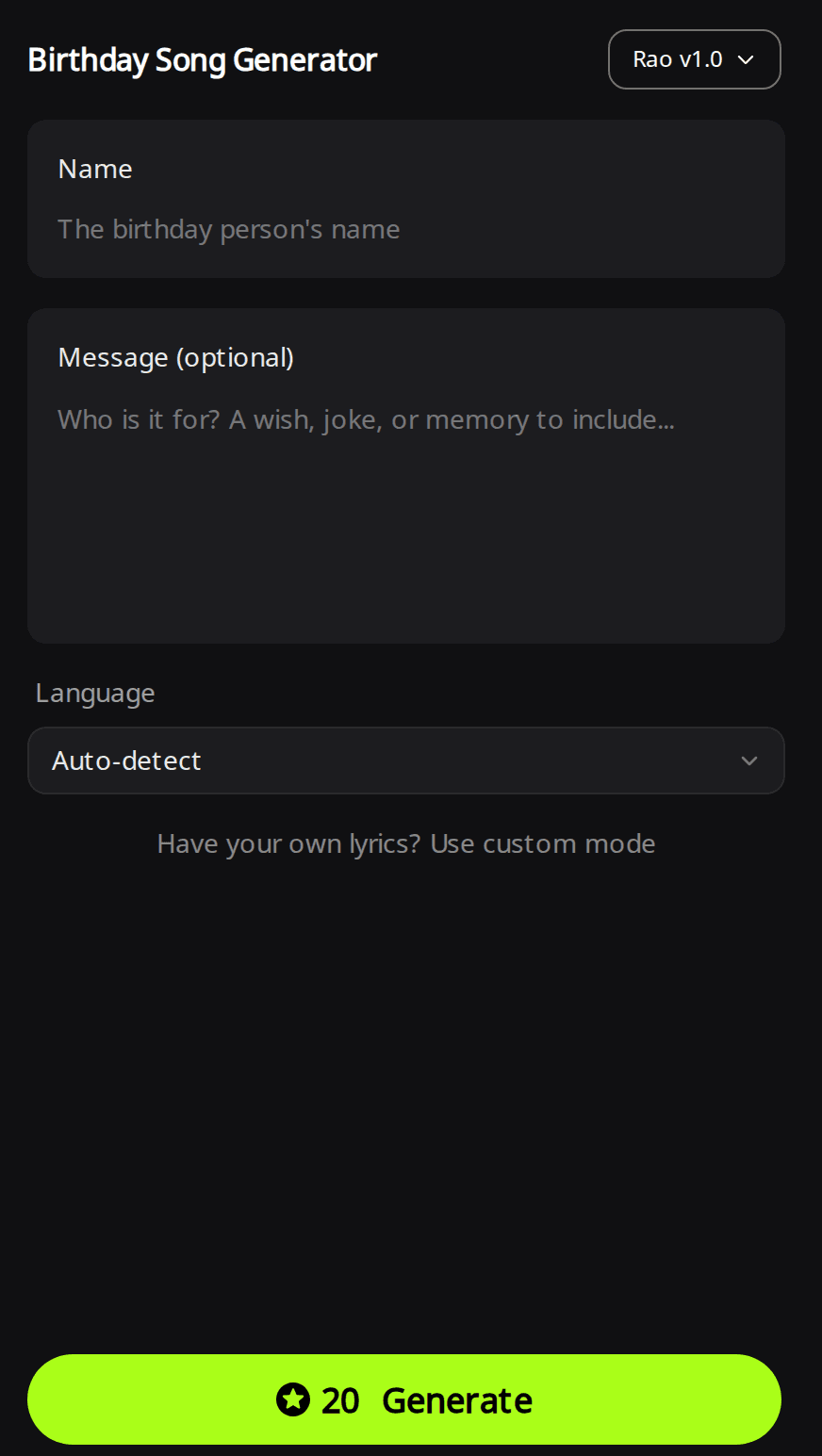
Use a form that only asks for the name. RaoMusic's Birthday Song Generator asks for three things:
- Name (required, up to 60 characters).
- Message (optional): who it's for and a wish, joke or memory, up to 300 characters. You can also name a style here, such as "slow acoustic" or "pop-punk".
- Language: Auto-detect or one of nine languages, including English, Spanish, Chinese and Vietnamese.
Press Generate. RaoMusic writes the lyrics around the name, picks a style from your message and sings the song. The page starts on the Rao v1.0 model, and the Generate button shows the price before you press it. If the lyrics can't be written, the credits go back to your account.
What details make the song sound like it's about them?
Generic input gets generic lyrics. Give the lyric writer facts nobody else shares:
- Age and relationship: "my dad, turning 60" or "my best friend, 30".
- One hobby or habit: fishing at dawn, always late, plays the same song on repeat.
- One running joke: something the family laughs about, said kindly.
- The sound they like: country, pop-punk, a slow acoustic song, a sing-along for kids.
On the Create page, Simple mode works the same way: you type one description and RaoMusic writes the lyrics. Here is what one description produced on Rao v2.0 (subscription required; on a free account, pick Rao v1.0 for 20 credits): "A funny country birthday song for my dad Tom, who is turning 60. He loves fishing at dawn, tells the same three jokes, and burns every barbecue. Warm male vocal, acoustic guitar and fiddle."
Rao v2.0 · Simple mode · two takes (1:48 and 2:53)
Listening note: Both takes are warm country songs with a male vocal, acoustic guitar and fiddle, and both clearly sing Tom's name, the 60th, the dawn fishing, the three jokes and the burnt barbecue. The first take's vocal is cut off during the closing fade, so trim the ending before you play it at the party; the second take works as it is for a 60th birthday video or slideshow.
The lyrics were written fresh for each take and the titles differ ("Happy Birthday, Best of Men" and "Happy Sixtieth, Tom"), so read them through once before you share either one.
How do I make the AI sing the name correctly?
If a name comes out wrong, try a phonetic spelling in Custom mode and listen again. In our comparison, changing "Siobhan" (an Irish name said "shih-VAWN" in English) to "Shi-vawn" in the lyrics moved both Suno v6 takes from "see-oh-BAHN" to "she-VAWN": two syllables, stressed on the second, as the name should be.
Suno v6 · Custom · Variety Off · name spelled "Siobhan" · two takes
Listening note: Both takes have the bright vocal, hand claps and party-pop feel the style line asked for, and the wrong name sound comes back in every chorus. In the first take, synth parts cover most of the acoustic guitar. Neither take works as a tribute to a real Siobhan; keep them only as a melody reference and regenerate with the name respelled.
Suno v6 · Custom · Variety Off · name spelled "Shi-vawn" · two takes
Listening note: Both takes keep the same bright pop arrangement and claps, with the name stressed on its second syllable. The first take has some sharp "s" sounds and the second a few minor synthetic artifacts. Either take works for a casual birthday video, a message or a social post.
To respell a name:
- Split it into syllables with hyphens, spelling each one the way a reader of the song's language would say it ("Shi-vawn" for Siobhan in an English song).
- Paste the respelled name into every line of your lyrics in Custom mode.
- Listen to the first chorus of each take, where the name repeats, and try another spelling if it still sounds wrong.
How do I write my own birthday lyrics?
Use Custom mode when you want every line to be yours, or when the name needs a special spelling:
- Open Create, switch to the Custom tab and choose a model. Our tests used Suno v6 (30 credits, subscription required); Suno v6 Wild and Suno v6 Mini don't need one.
- Paste your lyrics into Lyrics. Put the name in the chorus so it repeats, keep lines short, and close with an [Outro] line and an [End] tag. RaoMusic's lyrics guide says "[End] stops clean"; the guide to ending an AI song compares endings.
- Describe the sound in Styles, for example "upbeat feel-good pop, birthday party, bright female vocal, acoustic guitar, hand claps, 112 bpm".
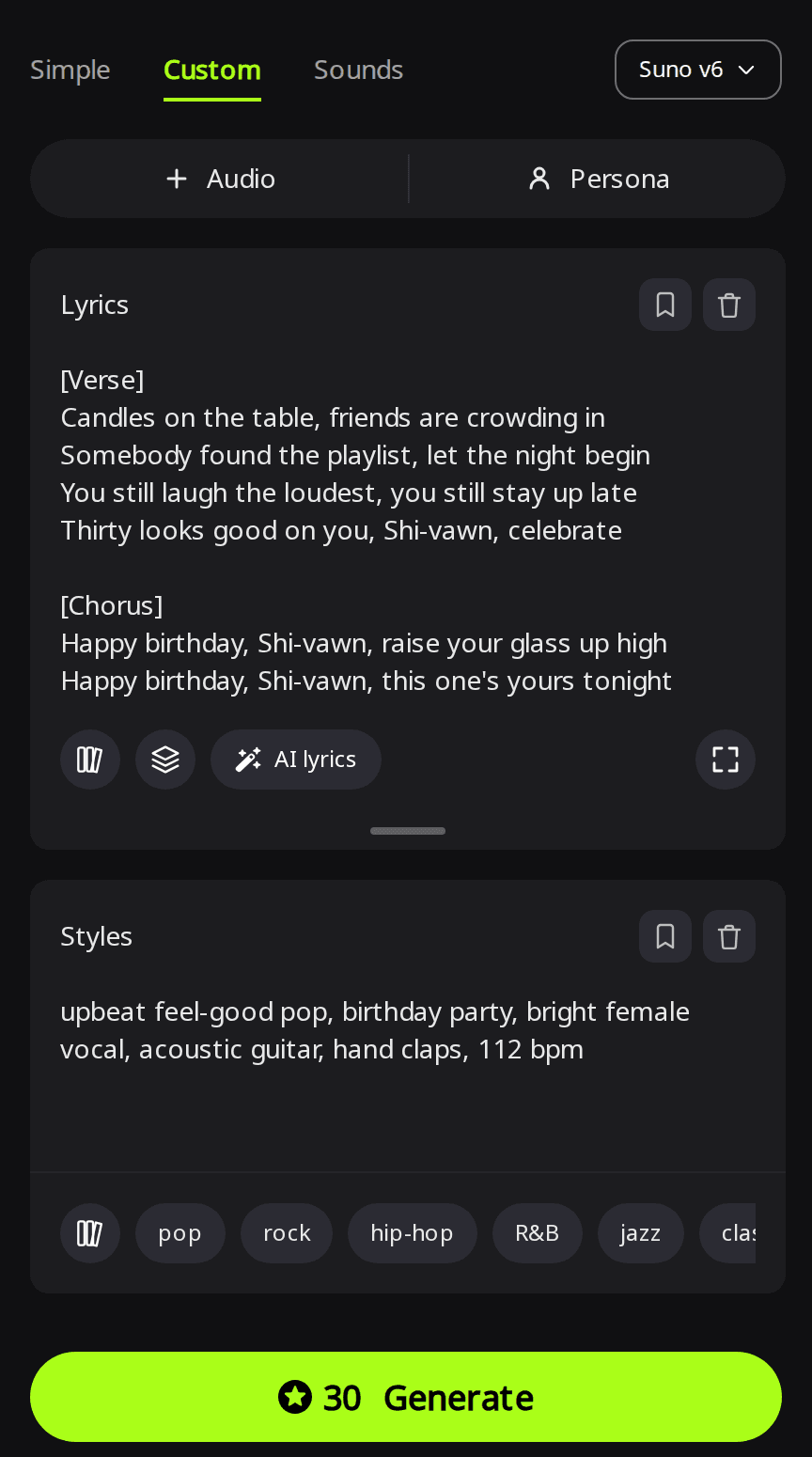
- Open Advanced and set Variety to Off. Its tooltip says "Off keeps both versions strictly on-style," so both takes follow your style line.
- Press Generate. Each Suno run returns two takes.
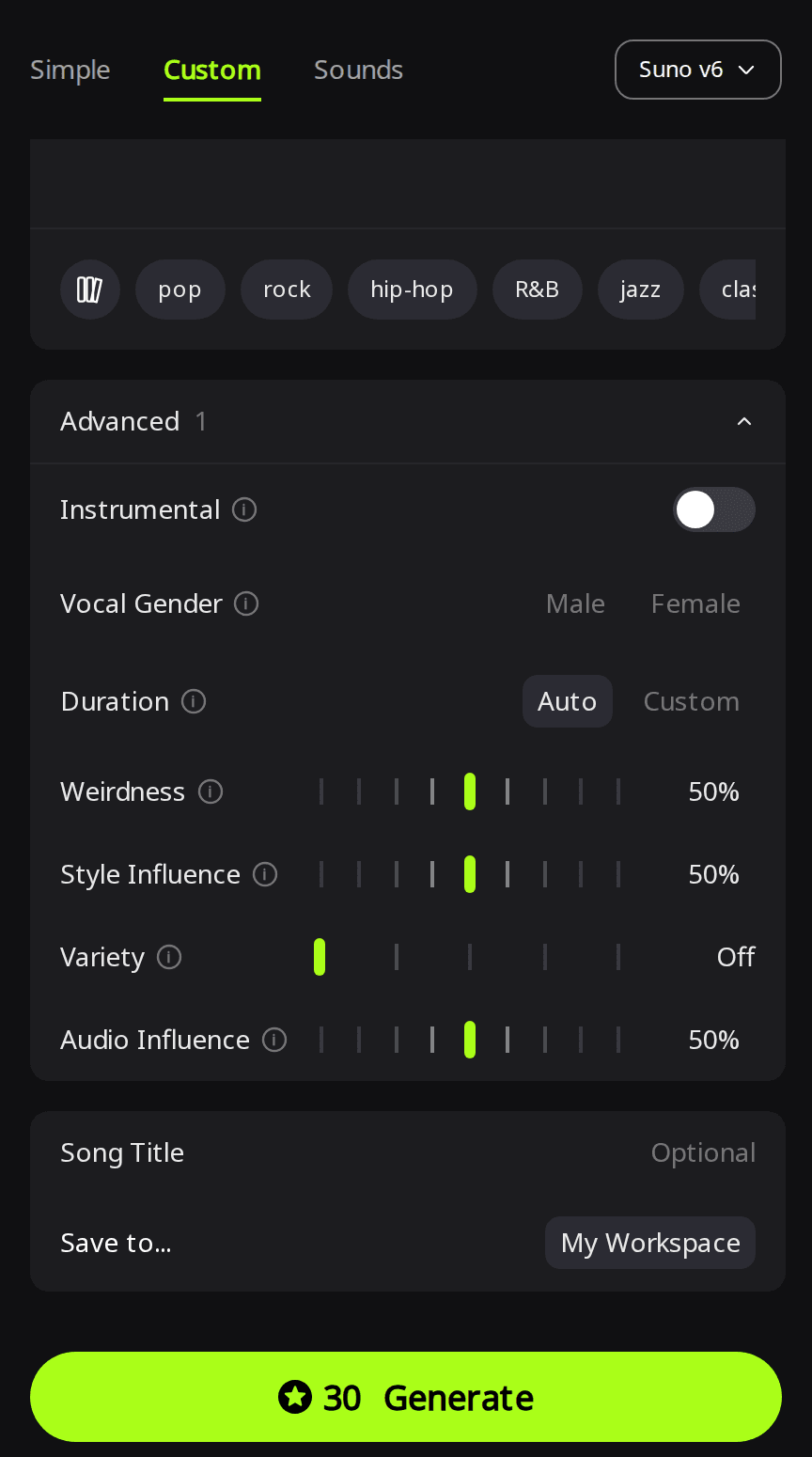
Use the same spelling every time the name appears; the complete example lyric is at the end of this article. For more on section tags and keeping lines exactly as written, see how to make a song with your own lyrics.
How do I make a 30-second birthday song for a video or message?
Pick a model that lets you set the length. ElevenLabs v2 has a Length setting and charges 40 credits per minute, so 30 seconds costs 20 credits and returns one song. Write a short verse and one chorus so the words fit.
ElevenLabs v2 · Custom · Length 30 s · style: "bouncy kids birthday party pop, cheerful female vocal, ukulele, hand claps, glockenspiel, sing-along, 120 bpm" · lyrics at the end of this article
Listening note: Cheerful ukulele, claps and glockenspiel with a clear "Maya", and all the lyrics fit inside the 30 seconds, ending on a natural ring-out instead of a hard stop. That makes it a practical starting point for a short birthday video, a photo montage or a party invitation. More about this engine is on the ElevenLabs model page.
How do I share the song or give it as a gift?
Download the MP3 from the song's menu; MP3 is included on any plan. If a take runs long or ends badly, like the first Tom take, the song menu's Clip options can trim it or add a fade-out for 2 credits, saved as a new song.
Songs you generate on RaoMusic include royalty-free commercial usage rights, so, subject to the license terms, you can post the song in a video or on social media. That is a usage license, not a transfer of copyright; the commercial license page has the full terms.
How did we test?
All examples were made on October 28, 2026 on RaoMusic, one run per setting: Suno v6 in Custom mode with the Siobhan lyric spelled two ways (Variety Off, Duration Auto, same style line), Rao v2.0 in Simple mode with the Tom description, and ElevenLabs v2 in Custom mode at 30 seconds with the Maya lyric. Each Suno and Rao run returned two takes. Lengths are from the finished songs, and credits are what each run cost. Siobhan, Tom and Maya are sample names. The short listening note under a clip describes what that file sounds like; press play to judge for yourself. Full lyrics are below.
What lyrics did we use?
Siobhan lyric (in the second run every "Siobhan" was written "Shi-vawn"):
[Verse]
Candles on the table, friends are crowding in
Somebody found the playlist, let the night begin
You still laugh the loudest, you still stay up late
Thirty looks good on you, Siobhan, celebrate
[Chorus]
Happy birthday, Siobhan, raise your glass up high
Happy birthday, Siobhan, this one's yours tonight
Make a wish and blow them out, we'll sing it loud and clear
Happy birthday, Siobhan, here's to one more year
[Verse]
Remember when the car broke down a mile from town
We sang the whole way walking and we never slowed down
That's the way you do it, turn the rain to fun
So tonight we're singing back to you, Siobhan
[Chorus]
Happy birthday, Siobhan, raise your glass up high
Happy birthday, Siobhan, this one's yours tonight
Make a wish and blow them out, we'll sing it loud and clear
Happy birthday, Siobhan, here's to one more year
[Outro]
Happy birthday, Siobhan
[End]
Maya lyric (ElevenLabs v2, 30 seconds):
[Verse]
Balloons are on the ceiling, cake is on the plate
Maya's turning seven and she cannot wait
[Chorus]
Hip hip hooray, it's Maya's day
Seven candles, blow them all away
Clap your hands and sing it, hey hey hey
Happy birthday, Maya, hooray!
Frequently Asked Questions
Yes. On the Birthday Song Generator, pick the language from the Language menu and the lyrics and vocals come out in it. In Custom mode, write the lyrics in that language yourself.
Yes. Eligible free accounts (in most countries) are topped up to 50 credits at the start of each month if their balance is lower, enough for two runs on the Birthday Song Generator. Unused free credits don't stack from month to month.
Yes. On the Create page in Simple mode, turn on Instrumental and describe the party music you want, for example a bright ukulele tune for a slideshow.
Yes. Put the joke in the message or description and name a comic style, such as country or pop-punk. Keep it kind, and read the lyrics before you play the song in front of family.
Yes. Write a line for each person into your own lyrics in Custom mode, like "Sam brought the cake, Priya brought the balloons". Short lines with one name each are easiest to hear, and you can respell any name that comes out wrong.