
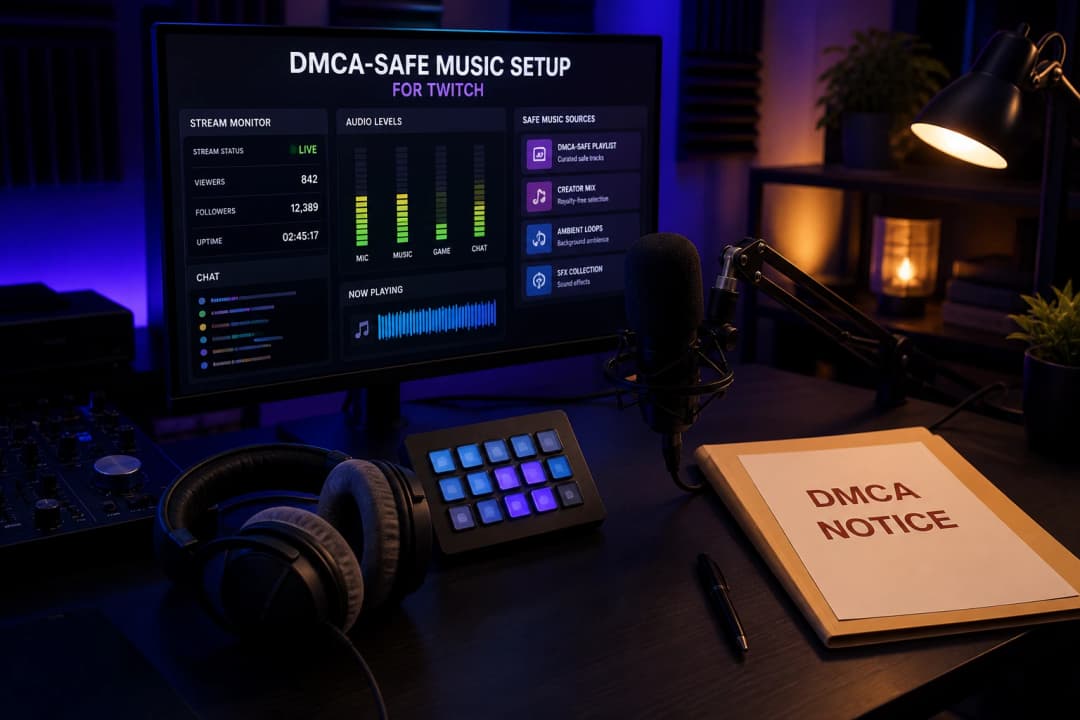
Twitch's DMCA enforcement is one of the strictest of any streaming platform. Unlike YouTube, where a Content ID claim usually just redirects revenue, a DMCA strike on Twitch can mute your VODs, delete your past content, and - with enough strikes - get your channel permanently banned. If you stream with background music, you need to know exactly what's safe and what isn't.
This 2026 guide explains how Twitch DMCA works, what music you can actually play, the DMCA-free music sources, and how to set up background music that won't end your channel.
What is Twitch DMCA?
DMCA (Digital Millennium Copyright Act) is the U.S. law that lets copyright owners request takedowns of content using their work without permission. On Twitch, this means: if you play copyrighted music during a stream, the rights holder can file a DMCA takedown notice against your channel.
Twitch enforces this aggressively because it has to - the platform is legally required to act on valid DMCA notices to maintain its "safe harbor" protection. Twitch doesn't negotiate or give warnings first; it processes the notice, applies the penalty, and tells you to sort it out with the rights holder.
This is different from YouTube's Content ID, which is an automated matching system that usually redirects revenue rather than issuing strikes. Twitch's system is more binary: a valid DMCA notice means a penalty, full stop.
How Twitch enforces DMCA (and what each penalty means)
Twitch handles music issues in two main ways, and they're not the same thing:
VOD muting (automated) - Twitch's automated system detects copyrighted audio in your saved broadcasts (VODs) and mutes those portions. This is a detection measure, not a DMCA strike - your stream stays live, but the VOD is partially silenced.
VOD deletion (automated or waves) - in DMCA waves, Twitch deletes past VODs and clips containing copyrighted music. Years of content can disappear overnight.
DMCA strike (formal notice) - a rights holder files a formal DMCA takedown notice against your channel. This is the serious one - it goes on your channel's permanent record.
Channel suspension / ban - repeated valid strikes can lead to account suspension or termination under Twitch's repeat infringer policy. Three strikes is commonly treated as the danger zone, but severe cases can be banned sooner.
The 2020 DMCA wave was the wake-up call: Twitch deleted massive amounts of creator VODs overnight, and channels that ignored repeated notices got banned. The rules haven't loosened since - if anything, enforcement has gotten more automated.
Key distinction: VOD muting doesn't automatically mean you have a strike. But it's a signal your music is flagged, and ignoring it leads to strikes.
Can you play music on Twitch?
Yes, but only music you have the rights to. Here's the simple version:
Copyrighted commercial music (Spotify, Apple Music, radio, most popular songs) - not allowed. Your streaming subscription doesn't cover public performance on Twitch.
Music you own the rights to - allowed.
Music you have a license for (royalty-free libraries, AI music with commercial use) - allowed.
Public domain music - allowed.
Twitch's licensed music tools - allowed, with limitations (see below).
The mistake most streamers make: assuming that because they pay for Spotify, they can play it on stream. Personal streaming subscriptions are for private listening, not broadcasting to an audience. That's a different license.
What music is safe on Twitch
There are four categories of DMCA-safe music for Twitch:
1. Original music (yours or AI-generated)
Music you create yourself, or generate with AI tools that grant commercial use, is the lowest-risk option. It's original to you, so no rights holder can easily file a valid DMCA notice against it. AI-generated music with a commercial-use license (like RaoMusic) fits here - the track is original, and you have permission to use it. This isn't a legal guarantee (AI output can still occasionally resemble existing music), but it's far safer than playing copyrighted catalog tracks.
2. Licensed music libraries for streamers
Services built specifically for streamers offer DMCA-safe music:
Pretzel - music designed for streamers, with Twitch integration
StreamBeats (by Harris Heller) - free DMCA-safe music for streams
Monstercat Gold - subscription with streaming rights
Epidemic Sound - also covers Twitch use under subscription
These work because the service has secured the rights from artists, and grants you a license to use the music on stream while subscribed.
3. Public domain music
Music whose copyright has expired (very old classical music). Free to use, but the selection is limited and mostly classical - not great for most stream vibes.
4. Twitch's licensed music tools
Twitch has offered tools like Soundtrack by Twitch in the past, but its availability has been inconsistent and it should not be relied on as a primary source. Check Twitch's current Music Guidelines and creator resources for what's actually available now - these tools are more limited than using your own or a licensed library.
DMCA-free music sources compared
| Source | Cost | Best for | Watch out |
|---|---|---|---|
| AI music (RaoMusic) | Per generation / subscription | Original tracks, any genre | Confirm commercial-use covers live streaming |
| Pretzel | Free / paid tiers | Streamer-friendly, Twitch integration | Catalog size varies |
| StreamBeats | Free | No-cost DMCA-safe music | Limited genres and updates |
| Monstercat Gold | Subscription | Electronic music focus | Cancel and you lose rights |
| Epidemic Sound | Subscription | Large catalog, also for YouTube | Recurring cost |
| Public domain | Free | Classical only | Very limited selection |
The fastest start for most streamers is a mix: an AI tool for original tracks you have a license to, plus a free library like StreamBeats for variety.
How to use AI music on Twitch
AI-generated music can be a lower-risk option for Twitch because it's original - it's less likely to match any copyrighted catalog, so no rights holder can easily file a valid DMCA notice against it. Here's how to use it:
Generate tracks with an AI tool that grants commercial use covering live streaming (RaoMusic does this)
Use the tracks as background music during live streams
Keep proof of your commercial-use license in case of a dispute
Avoid AI vocals that clone real artists - those can still trigger DMCA issues even if the music is original
Avoid prompts that request specific artists or copyrighted songs
The limitation: you don't own the copyright to AI-generated output, so you can't register it exclusively or stop other streamers from generating similar tracks. For background music use, this is fine. For building a music brand you own, it's not. Before using any AI music tool on Twitch, confirm its license covers live streaming, VODs, clips, and commercial channel use.
Step-by-step: set up DMCA-safe background music
Audit your current setup - check if you've been playing Spotify or copyrighted music on stream. Stop immediately if so.
Pick a DMCA-safe source - AI music (RaoMusic), Pretzel, StreamBeats, or Monstercat Gold.
Confirm the license covers Twitch - some licenses cover YouTube but not live streaming. Read the terms.
Build a playlist - curate 4-8 hours of music so it doesn't loop too often during long streams.
Set up audio routing in OBS - route your music to a separate audio track and exclude it from the Twitch VOD track where possible. This reduces VOD muting risk (it keeps music out of the saved broadcast), but it does not make copyrighted music legal for the live broadcast.
Mute VODs proactively if unsure - if you're unsure about a track, exclude it from VODs to be safe.
Keep license records - save proof of your music source's license in case Twitch asks.
Stay updated - Twitch's tools and DMCA enforcement change. Check Twitch's creator music resources periodically.
Common mistakes that get Twitch channels striked
Playing Spotify or Apple Music on stream - personal subscriptions don't cover broadcasting.
Assuming "fair use" covers background music - it rarely does for full tracks on Twitch.
Ignoring VOD muting warnings - mutes are a signal that your music is flagged; don't wait for a strike.
Using "lo-fi mixes" from YouTube - many contain copyrighted tracks or aren't cleared for Twitch.
Switching music sources mid-stream without checking licenses - new source, new license to verify.
Trusting "DMCA-free" playlists without checking the source - some are mislabeled.
Using AI vocals that clone real singers - triggers DMCA even if the music is original.
What to do if you get a DMCA notice on Twitch
If you receive a DMCA notice:
Don't ignore it - Twitch counts ignored notices against you.
Identify the flagged content - which VOD or clip, which track.
Delete the flagged VODs proactively - remove content you know used copyrighted music.
Switch to DMCA-safe music immediately - stop using the source that caused the notice.
File a counter-notification only if you have rights - if you genuinely have the license (e.g., AI-generated with commercial use, or licensed library), you can dispute. False counter-notices have legal consequences.
Wait out the strike - Twitch strikes don't expire as cleanly as YouTube's; check current policy.
The bottom line
Twitch DMCA is strict, binary, and unforgiving - one valid notice means a penalty, and repeated strikes can end your channel. But staying safe is straightforward: only play music you have the rights to. The easiest path for most streamers is AI-generated music (original, lower-risk) plus a licensed streamer library for variety. Never assume your Spotify subscription covers streaming - it doesn't. Know where your music comes from, route it carefully in OBS, and you'll stay far safer.
Frequently Asked Questions
No. Your Spotify subscription is for personal listening, not broadcasting. Playing Spotify on stream is the most common cause of Twitch DMCA strikes. Use DMCA-safe music sources instead.
Twitch mutes or deletes the flagged VODs, applies a strike to your channel, and - after repeated valid strikes - can permanently ban your channel under its repeat infringer policy. Three strikes is the common danger zone, but severe cases can be banned sooner. Appeals are difficult.
No. VOD muting is an automated detection measure that silences portions of saved broadcasts - it doesn't automatically mean you have a strike. A DMCA strike comes from a formal rights-holder takedown notice. But mutes are a warning signal: ignoring them leads to strikes.
Music you create yourself, AI-generated music with commercial use, licensed streamer libraries (Pretzel, StreamBeats, Monstercat Gold), public domain music, and Twitch's current licensed music tools. Commercial music from Spotify or Apple Music is not safe.
It's lower-risk, not risk-free. AI-generated music is original, so it's less likely to trigger DMCA notices than copyrighted catalog music - but it's not a legal guarantee. Use a tool that grants clear commercial streaming rights (like RaoMusic), avoid AI vocals that clone real artists, and keep license records.
Generally no. Performing covers on Twitch is usually not licensed - Twitch doesn't have broad cover-song licenses like some platforms. Covering a copyrighted song on stream can trigger DMCA notices just like playing the original. Use original or properly licensed music instead.
Three is the commonly cited threshold under Twitch's repeat infringer policy, but Twitch can terminate sooner for severe or egregious violations. Don't assume you're safe before three, and don't assume you're automatically banned only after exactly three.
Yes, if the license covers live streaming. Some royalty-free licenses cover YouTube but not Twitch - read the terms. Streamer-focused libraries like Pretzel, StreamBeats, and Monstercat Gold are built for Twitch use.
In OBS, route your music source to a separate audio track and exclude that track from the Twitch VOD track. This keeps music out of saved broadcasts (reducing VOD muting risk), but it does not make copyrighted music legal for the live broadcast itself.