Best Suno Alternative 2026: RaoMusic vs Suno
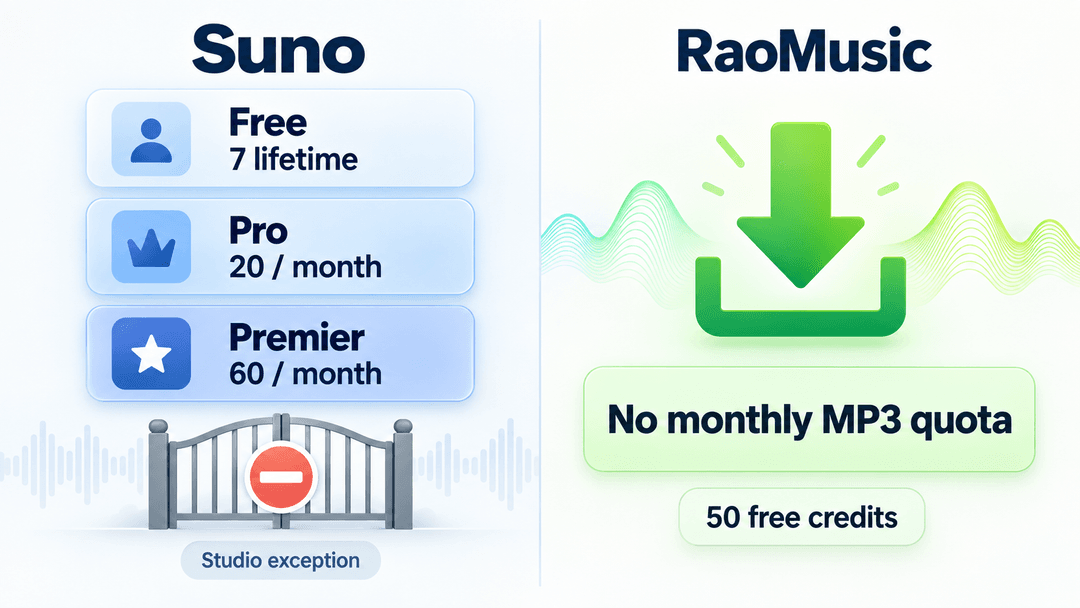
If you're searching for a Suno alternative , RaoMusic is the strongest switch for creators who need royalty-free commercial use, a no-subscription pricing model, and built-in music tools alongside AI generation. Suno is excellent for vocal experimentation and has a large, active community — but its free tier can't be used commercially, and full commercial rights require a paid monthly subscription. RaoMusic works on pay-as-you-go credits, includes a commercial-use license with the tracks you generate, and ships with a full suite of free music tools: an online tuner, BPM finder, vocal remover, stem separator, and lyrics studio. This guide compares RaoMusic and Suno head-to-head so you can decide which one fits your workflow — or whether to use both. > Disclosure: RaoMusic is our own product. To keep this comparison honest, we used the same prompts and scoring criteria for both tools, link to Suno's public site, and call out where Suno is genuinely the better fit. This is a working comparison, not a sales pitch. Last verified: August 2026. Suno's pricing, plan names, and commercial-use terms change often — confirm the current terms on Suno's site before relying on them for paid work. Short answer: which Suno alternative should you pick? Don't want the full breakdown? Here's the quick version: Best Suno alternative for commercial use with no subscription: RaoMusic Best if you want to stay in Suno's community and workflow: Suno (stay) Best for high-fidelity output and detailed editing: Udio Best for royalty-free instrumental background music: Soundraw Best for one-click beginner beats: Boomy If you want an AI music generator like Suno but with a commercial license and no recurring fee, RaoMusic's edge isn't that it beats Suno on every creative feature — it's that RaoMusic lets you ship royalty-free music without a subscription. For a broader six-tool ranking, see our best AI music generators guide . What is Suno? Suno is one of the most popular AI music generators, known for turning a short text prompt into a complete song with vocals, instruments, and arrangement in seconds. It has a large community of creators, a recognizable brand, and a workflow tuned for fast vocal experimentation. Suno's free tier lets you try the tool, but tracks generated on the free plan are restricted — commercial use requires a paid subscription. Suno is a strong default if you want to experiment, join a community, or iterate quickly on vocal ideas. The reasons creators look for a Suno alternative are usually about commercial rights, pricing model, or missing tools — not about Suno's raw generation quality. Why look for a Suno alternative? Most creators who search for "Suno alternative" or "sites like Suno" aren't unhappy with Suno's output. They hit one of four walls: Commercial use is locked behind a subscription. Suno's free tier doesn't grant commercial rights. If you want to use a track on YouTube, in a client video, or in an ad, you need a paid plan. Monthly subscription doesn't fit their volume. If you only generate a few tracks a month, a $10–$30/month subscription feels wasteful. Pay-as-you-go credits are cheaper for light users. No license certificate. Some platforms and clients ask for proof of your commercial rights. A generated license certificate makes that easy. They want utility tools alongside generation. Tuning a guitar, finding a song's key and BPM, removing vocals, splitting stems, or editing lyrics — Suno focuses on generation and its in-app editing workflow; RaoMusic bundles these tools. If any of those sound like you, the next section breaks down exactly how RaoMusic differs. RaoMusic vs Suno: how they compare Here's the side-by-side comparison on the dimensions that matter most for creators shipping real work. Feature RaoMusic Suno Free commercial use Included on the free tier Paid plans only Pricing model Pay-as-you-go credits, from $0 Monthly subscription (~$10–30/mo) Subscription required No, no auto-renewal Yes, for commercial use License certificate Provided Not provided AI vocals Yes Yes Music tools suite Tuner, BPM finder, vocal remover, stem separator, lyrics studio Generation + in-app editing workflow Output quality Strong, varies by prompt and model Strong, varies by prompt and model Built for Commercial creators, freelancers, tool-power users Community, vocal experimentation Both tools generate complete songs with vocals from a text prompt. The difference is what happens after you generate — how you pay, whether you can use the track commercially, and whether you get extra tools. Where RaoMusic beats Suno 1. Free commercial use This is the single biggest reason creators switch. RaoMusic's free credits produce tracks you can use commercially — on YouTube, in client work, in ads. Suno's free tier is for trying the tool; commercial rights unlock only on a paid plan. If your goal is to ship music that earns money, RaoMusic lets you start without a subscription. 2. No subscription — pay as you go RaoMusic runs on credits with no subscription and no auto-renewal. You start with free credits and only pay when you need more. Suno is subscription-first for commercial use, with monthly plans typically priced around $10 to $30. For creators who generate in bursts or only need a few tracks a month, pay-as-you-go is usually cheaper and never charges you for a month you didn't use. 3. License certificate RaoMusic can provide a license certificate as proof of your commercial-use rights. That matters when a client, a platform, or a content review asks "do you have the rights to this track?" — you have something to show. Note that a license certificate proves your right to use the track commercially; it doesn't mean you own the copyright to the underlying composition. 4. A full suite of music tools Suno focuses on AI song generation and its own creation workflow. RaoMusic adds a separate set of utility tools creators use every day: Online guitar tuner — tune by ear or with your mic Key & BPM finder — detect the key and tempo of any song Vocal remover — isolate vocals or make a karaoke instrumental Stem separator — split a track into vocals, drums, bass, and more Lyrics studio — write, edit, and structure lyrics If your workflow includes sampling, remixing, practicing, or preparing stems for a DAW, these tools come bundled with RaoMusic at no extra cost. Where Suno still wins To be clear, Suno isn't a bad tool — it's a different tool. Suno is the better choice if: You want a large community. Suno has one of the biggest AI music communities, with trends, challenges, and shared creations. You're iterating hard on vocals. Suno's vocal generation and experimentation flow are genuinely strong and well-loved. You already know Suno's workflow. If you're productive in Suno, switching has a learning cost — you can also just add RaoMusic for commercial tracks and keep Suno for experimentation. Many creators use both : Suno for fast community-driven experimentation, RaoMusic when they need a clean royalty-free track with a commercial license. How to switch from Suno to RaoMusic Moving from Suno to RaoMusic is straightforward. You can't transfer audio files directly, but you can recreate and extend ideas. Sign up at RaoMusic. You start with free credits — no subscription, no card required. Reuse your prompts. Take a prompt, lyrics, or style description that worked in Suno and paste it into RaoMusic's generator. Results will differ, but the creative direction carries over. Generate and download. RaoMusic produces a complete track (vocals, instruments, mastering) that you can download as MP3 or WAV with royalty-free commercial-use rights. Bring your Suno stems or lyrics. If you have stems or lyrics from a Suno track, upload them to RaoMusic's stem separator or lyrics studio to remix, extend, or build on the idea. Keep your license records. Save your generation history and license certificate in case YouTube, a client, or a platform asks for proof of rights. Other Suno alternatives worth considering RaoMusic isn't the only option. Depending on what you need, these are also worth a look: Udio — best for high-fidelity output and detailed editing; strong if you care about audio quality and fine control. Mureka — best if you want to publish to a marketplace and reach listeners directly. Soundraw — best for royalty-free instrumental background music, popular with video creators who need license-safe BGM. Boomy — best for one-click beginner beat generation; simple and fast. For a full ranked comparison of all six tools (RaoMusic, Suno, Udio, Mureka, Soundraw, Boomy), see our best AI music generators guide .
Best Free AI Music Generators 2026: Commercial & No Subscription
The best AI music generators in 2026 can turn a text prompt into a finished song in minutes — vocals, instruments, arrangement, and mix included. But the right tool depends on what you need: a free AI music generator for experiments, a commercial license for YouTube or client work, realistic vocals, or a no-subscription pricing model. We tested six top AI music generation tools — RaoMusic, Suno, Udio, Mureka, Soundraw, and Boomy — and ranked them on licensing, pricing, vocal quality, ease of use, and commercial readiness. This is a working list of AI music generators for creators who actually need to ship music, not just play with demos. Short answer: If you only want to experiment, several AI music generators offer free credits. If you need free starting credits that can also be used commercially without a monthly subscription, RaoMusic is the clearest fit: new users get 50 free signup credits, commercial-use rights are included under the current license terms, and additional credits are pay-as-you-go with no auto-renewal. > Disclosure: RaoMusic is our own product. To keep this comparison honest, we used the same prompts and scoring criteria for every tool, link to each competitor's public site, and call out where Suno, Udio, Mureka, Soundraw, or Boomy may be a better fit than RaoMusic. Last reviewed: August 13, 2026. Because AI music products change fast — pricing, plan names, watermark rules, and license terms shift often — confirm the current terms on each tool's site before using a track in paid ads, client work, streaming, or monetized YouTube videos. Short answer: which AI music generator should you choose? Don't want the full breakdown? Here's the quick version: Best for royalty-free AI music with no subscription: RaoMusic Best-known AI song generator with a large community: Suno Best for high-fidelity output and detailed editing: Udio Best for marketplace publishing: Mureka Best for royalty-free instrumental background music: Soundraw Best for one-click beginner beat generation: Boomy If you're looking for an AI music generator better than Suno for commercial-use flexibility, RaoMusic's edge isn't that it beats Suno on every creative feature — it's that RaoMusic includes a royalty-free commercial license and doesn't require a recurring subscription. Quick comparison: free, commercial, and no-subscription AI music generators Rank Tool Free credits or plan Commercial use on free plan Subscription required for commercial use Pay-as-you-go License certificate 1 RaoMusic (our pick) 50 signup credits Yes, subject to current terms No Yes Yes 2 Suno 50 credits renew daily No Yes No add-on credits on free plan Not listed 3 Udio 10 daily / 100 monthly credits Verify current terms Verify current terms Purchased credits available Not listed 4 Mureka Free plan or credits Verify current terms Verify current terms Verify current terms Not listed 5 Soundraw Preview only No Yes No Not listed 6 Boomy Free plan available Verify current plan Verify current plan Verify current plan Not listed Free access is not the same as free commercial use. We verified RaoMusic's current license and pricing pages, and linked competitor pages where available. Pricing, plan names, credit limits, and commercial-use terms can change; verify the current terms before monetizing. For the full RaoMusic commercial license , see our AI music license guide , pricing and credits , and royalty-free music generator . For a single-competitor comparison, read our Suno alternative and Udio alternative guides. 1. RaoMusic — best for royalty-free AI music with no subscription RaoMusic is strongest for creators who care more about commercial-use simplicity than having the largest community or the deepest editing suite. It generates full songs with vocals or instrumentals from a simple prompt, includes royalty-free commercial-use rights with generated tracks (subject to its license terms), and uses pay-as-you-go credits instead of forcing a recurring subscription. That makes RaoMusic especially practical for creators who need music occasionally — YouTube videos, ads, podcasts, client edits, social posts, landing pages — and don't want another monthly software bill. Best for: YouTubers, marketers, podcasters, agencies, and indie creators who want commercial-ready AI music without a recurring subscription. Pros Royalty-free commercial-use rights included with generated tracks, subject to RaoMusic's license terms No subscription or auto-renewal — pay only for the credits you use Generates full songs with vocals or instrumental-only Interface available in 10 languages — the only tool in this list with native multilingual UI for global creators Cons Smaller community than Suno or Udio Fewer built-in remix, stem, and section-editing features than some rivals Who should not choose RaoMusic? If you want the largest public song community, the most advanced section-by-section editing, or the deepest remix/stem workflow, Suno or Udio may suit you better. RaoMusic is designed for a simpler commercial-use workflow: generate, download, and use — without managing another subscription. Try it if: you want a commercial-ready vocal or instrumental track without starting a monthly subscription. Generate a free track with RaoMusic → 2. Suno — the best-known all-rounder Suno is the most widely recognized AI music generator and produces catchy, vocal-led songs fast. Commercial-use rights and watermark-free downloads typically require a paid subscription, and Suno has been involved in high-profile music-industry copyright litigation — so commercial users should review current legal updates and license terms before using outputs in client campaigns, ads, or releases. Best for: Hobbyists and creators who already pay for a monthly plan and want the biggest community. Pros Large user base and lots of shared inspiration Fast, vocal-led song generation Generous daily free credits to experiment Cons Subscription typically required for commercial use Ongoing copyright litigation adds uncertainty for commercial projects RaoMusic vs Suno: which is better for commercial creators? Choose Suno if you want a huge community, fast vocal-led ideas, and the most familiar AI song generator experience. Choose RaoMusic if your priority is simpler commercial licensing and pay-as-you-go pricing without a recurring subscription. RaoMusic isn't claiming to beat Suno on community size or every advanced feature — its advantage is commercial-use convenience for creators who need royalty-free music on demand. 3. Udio — best audio quality for audiophiles Udio is known for high-fidelity output and fine-grained control over song sections. Like Suno, commercial-use rights generally depend on the current plan and terms, and Udio has faced similar music-industry copyright litigation — so risk-sensitive commercial users should verify the latest legal and licensing status before publishing. Best for: Producers who prioritize sound quality and section-level editing. Pros Excellent audio fidelity Section-level extend and replace controls Strong vocal performance Cons Subscription typically required for commercial rights Training-data litigation creates commercial uncertainty RaoMusic vs Udio: which fits your workflow? Choose Udio if you prioritize high-fidelity output, detailed section control, and advanced creative experimentation. Choose RaoMusic if you need a simpler path from prompt to a commercially usable track, especially without a subscription. For many YouTubers, marketers, and small teams, licensing clarity and pricing flexibility matter more than deep editing controls. 4. Mureka — best for marketplace-oriented publishing Mureka pairs generation with a marketplace-oriented workflow where creators can publish and earn from tracks. Its available credits, commercial rights, and subscription requirements depend on the current plan and terms, so verify them before using a free output in a paid project. Best for: Creators who want to publish and monetize AI music through a marketplace. Pros Built-in marketplace with royalty sharing Credit packs available, not only subscriptions Marketplace publishing workflow Cons Marketplace take rate reduces your earnings (verify the current split) Smaller audience than mainstream platforms 5. Soundraw — best for royalty-free instrumental beds Soundraw is a polished, license-safe instrumental generator popular with video editors. It is instrumental-only; free access is preview-focused, while downloads and commercial use depend on the current paid plan and license terms. Best for: Video editors who need safe instrumental background music and don't need vocals. Pros Clean, license-safe instrumental output Intuitive editor for trimming and rearranging Strong fit for corporate and stock-style video Cons Instrumental only — no vocals Free access is preview-only; commercial use depends on the current paid plan Subscription model, no pay-as-you-go 6. Boomy — best for instant beats Boomy focuses on one-tap beat and track generation and can distribute your music to streaming services. Generation quality and control are more limited than Suno or Udio, and commercial release depends on the current plan and terms. Best for: Beginners who want zero-effort beats and optional distribution to streaming. Pros One-tap, beginner-friendly generation Built-in distribution to streaming platforms Free to experiment Cons Less control and lower fidelity than leading tools Commercial release depends on the current plan Limited vocal capability The best free AI music generators for commercial use Free credits and free commercial use are different things. A tool may let you generate songs at no cost while limiting those songs to personal, non-commercial use. Before publishing or monetizing a track, check the terms for the plan that created it. Best free starting point for commercial use: RaoMusic — 50 signup credits, commercial-use rights included under its current terms, and no recurring subscription. Best for free experimentation: Suno — free credits renew daily, but its free plan is non-commercial. Best if you need a different workflow: Udio, Mureka, Soundraw, and Boomy may fit different creative or licensing needs; verify each tool's current terms before using free outputs commercially. For a deeper explanation of the difference between free access and commercial rights, see Do I Need a License for AI-Generated Music? . How we tested these AI music generators We created accounts for each tool and tested them during July 2026 using the same prompt set across four use cases: a YouTube intro, a 30-second ad bed, a vocal pop hook, and a cinematic background track. Where a tool supported both vocals and instrumentals, we tested both. We also reviewed each tool's public pricing page, license terms, free-tier restrictions, export options, and subscription requirements. Our ranking is weighted toward commercial creators , not hobby-only users — which is why a tool can rank #1 here without having the largest community or the most advanced editing: Commercial license and monetization clarity — 30% Pricing flexibility and no-subscription value — 25% Vocal and music quality — 20% Ease of use — 15% Export options, length, and editing control — 10% We did not rank tools on a single best output. We considered consistency across multiple generations and whether a non-musician could realistically use the result in a monetized project. The verdict For most commercial creators, the "best" AI music generator isn't the one with the flashiest demo — it's the one that gives you usable output, clear commercial rights, and a pricing model that fits how often you create. If your main buying criteria are commercial-use rights, no subscription, and pay-as-you-go pricing, RaoMusic is our top pick: royalty-free commercial-use rights included with generated tracks, credits you buy only when needed, and both vocal and instrumental outputs. If your priority is community size, viral vocal-song experimentation, or advanced creative controls, Suno or Udio may fit better. Soundraw is strongest for instrumental background music, Mureka is worth considering for marketplace publishing, and Boomy remains one of the simplest options for quick beginner tracks. Need a commercial-ready track without committing to a monthly plan? Generate a free track with RaoMusic → — vocals or instrumentals, royalty-free commercial-use rights, and pay-as-you-go credits when you need more. 竞品事实(Web 核查 2026-07-19): Suno:Free 无商用;Pro $10/mo(年付 $8/mo,2500 credits,含商用);Premier $30/mo(年付 $24/mo)。商用仅付费计划 ✓。诉讼:RIAA/厂牌 2024 起诉,Warner 2025-11 与 Suno 和解,Sony 仍在诉,Suno 主张 fair use,未开庭。"ongoing copyright litigation" 表述准确 ✓。 Udio:Free 10 credits/天无商用;Standard ~$10/mo(含商用,最便宜商用路径);Pro ~$30/mo(6000 credits)。商用仅付费计划 ✓。诉讼:UMG 2025-10 与 Udio 和解,Sony 仍在诉 ✓。 Mureka:官方"every track royalty-free with commercial license"→ 商用 Included ✓;credit packs 存在 ✓;marketplace 可上架售卖(take rate 具体比例未公开,待核)。⚠️ ToS 称 premium 用户可能不完全"拥有"作品,商用前读 ToS。 Soundraw:免费=只能生成/预览、不能下载、无商用(已把表格从"Watermarked"改为"Preview only");Creator $16.99/mo(年付)或 $19.99/mo 才下载+商用;纯器乐无 vocals ✓。 Boomy:Free 生成受限;Personal $2.99/mo 起含流媒分发;Creator $9.99/mo 含完整商用下载权;Pro $29.99/mo。内置分发 Spotify/Apple 等(ADA/Warner 合作)。表格已改为"from $9.99/mo (Creator) for commercial"。 RaoMusic 自家条款:✅ 已解决(2026-07-19)。原 Terms 第 5 条"商用仅限订阅用户"与营销站矛盾; 现已改为"所有用户(含免费)均获免版税商用授权、无需订阅",10 语言同步,Terms 与营销站/本博客一致。 博客"商用 included + 无订阅"的措辞现在与 Terms 第 5 条对齐。建议上线前再让人通读一遍英文 Terms 全文。 ItemList schema:已实现(2026-08)。blog 正文走 sanitize-html 会过滤内联 , 故榜单 schema 走 blog-core/lib/blog-listicle-schema.ts 按 slug 登记输出(BlogDetailView 里 postSlug='best-ai-music-generator' 时额外出 ItemList,含 6 个工具的排名/URL/最佳用途)。 新增榜单文章:在该文件的 LISTICLES 里加一条即可。后续若 comparisonList 入库可改为读 post 字段。 FAQ 已放进 frontmatter(faqTitle/faqItems),后台填入 faq 模块即出 FAQ schema。 -->
Do I Need a License for AI-Generated Music? Commercial Rights Explained (2026)
If you are asking "do I need a license for AI-generated music," the practical answer is this: before you monetize, distribute, sell, or use a track for client work, you need commercial rights from the AI music generator that created it. That permission is usually an AI music license written into the tool's terms — not a traditional license from a publisher or record label — and whether you have it depends on which tool and which plan you used. Copyright ownership, platform rules, and sync rights are separate questions stacked on top. This guide breaks down when you need a license, the difference between a license and copyright, the free-tier trap that catches the most creators, and how to get commercial-use rights you can actually rely on. For the broader copyright picture, see our AI music copyright news and rules guide . This guide is general information, not legal advice. AI music terms change quickly, so always confirm the current license terms for the tool and plan you used before relying on a track commercially. The short answer: do I need a license for AI-generated music? Yes — if you want to publish, monetize, sell, or use the track for client work, you usually need an AI music license in the form of a commercial-use grant from the tool that generated the music. For purely private listening or experimentation, you usually do not need commercial rights. For creators who want the rest of the bottom line: You need commercial-use rights from your AI music tool to publish, monetize, or sell the output. On most tools that means a paid plan; on a few it is included even on free plans. You usually do not need a traditional music license if the track is newly generated and does not contain copyrighted lyrics, samples, melodies, uploads, or other protected material. You still need the AI tool's commercial-use permission. A license is not the same as copyright. A paid plan gives you permission to use the track commercially; it does not necessarily make you the copyright owner. For video, film, or ad sync, a separate question appears : whether your tool's license grants video use and whether a buyer will accept the chain of title — which is where AI-generated output gets complicated. Three kinds of "permission" — don't confuse them AI music licensing is really three separate permissions — do not confuse them. Most confusion around licensing AI music comes from mixing up three separate things: Tool commercial-use rights. Does your AI music generator grant commercial rights for the output? This is the AI music license most creators actually need, and it may depend on whether you generated the track on a free plan, a paid plan, or a pay-as-you-go commercial plan. Platform rules. Does YouTube, Spotify, TikTok, or your distributor allow AI-generated content, and do they require disclosure? A tool's commercial license does not override a platform's AI policy. Sync and master rights. If you are pairing the music with video, film, or ads, the sync world wants a clean chain of title for both the composition and the recording — which is exactly where AI-generated output gets complicated. When someone asks "do I need a license for AI music," they almost always mean the first one. When they want to put it in a video, the third one matters too. Keeping them apart is the key to not over- or under-paying for rights you may not need. Can I use AI music commercially? When you need a license Yes, you can use AI music commercially if the tool's terms grant you commercial rights for the track and your use case is allowed. In practice, that usually means generating the song on a paid plan, or on a tool that includes an AI music commercial license with generated tracks. Whether you need a license depends almost entirely on what you plan to do with it: Personal listening or private experimentation. No commercial license needed. Free tiers of most tools allow this. Posting to your own social media non-commercially. Usually fine on free tiers, but check the tool's terms and the platform's AI rules. Monetized YouTube videos. You need commercial-use rights from your tool, plus you must follow YouTube's AI disclosure and content policies. See our YouTube AI music monetization guide . Releasing to Spotify, Apple Music, or other streamers. You need commercial-use rights and must follow your distributor's AI policy. Spotify and distributors may reject or remove content that violates spam, impersonation, or rights policies — mass-uploaded low-effort AI music is the most exposed. Client work, ads, or paid campaigns. You need commercial-use rights that explicitly cover that use, and you should keep records. Film, TV, or ad sync placement. A separate question appears: whether your tool license grants video use and whether the buyer accepts the chain of title (see below). The pattern: the moment money, publishing, or a client is involved, you need commercial-use rights from your tool at minimum. How major AI music tools handle commercial rights Tool terms change often and plan names can shift, so treat this table as a starting point and verify the current terms before relying on any AI music license for client work, distribution, ads, or sync. At publication, the general picture: Tool Free plan commercial use? Paid plan commercial use? Subscription required? Suno No (personal/non-commercial) Yes (Pro / Premier) Yes Udio Check current free-tier terms Yes (paid tiers, generally no attribution) Yes Soundraw No (preview only) Yes (paid) Yes Mureka Verify current terms Verify current terms Credit packs available RaoMusic Included with generated tracks Included with generated tracks No (pay-as-you-go credits) Two things stand out. First, on most mainstream tools the free tier is explicitly non-commercial, so you cannot monetize free-tier output. Second, the model differs: some tools tie commercial rights to a recurring subscription, while others include them with generation or offer pay-as-you-go credits. For RaoMusic, review the commercial license details before generating a track for a client, channel, or release. For a wider feature and pricing comparison, see our best AI music generators ranking . The free-tier trap: upgrading does not unlock old songs This is the single most expensive mistake creators make with AI music licensing. On tools where the free-tier output is non-commercial, upgrading later often does not retroactively grant commercial rights to songs created while you were on the free plan. Suno is the key example: songs created on its free plan are generally for personal, non-commercial use, and moving to Pro or Premier later does not automatically turn those old free-tier songs into commercially usable tracks. The practical consequence: if you generated a track on a free plan, fell in love with it, and want to use it in a monetized video or client project, upgrading your account may not help. You would typically need to create a new version while on a plan that grants commercial rights, and the new generation may not be identical. Not every tool works this way — some, including RaoMusic, include commercial-use rights from the first generated track, so you are not locked out of your own best work. But if there is any chance you will use a track commercially, generate it on a plan that grants commercial rights from the start. License vs copyright: what a paid plan actually gives you A common misconception is that paying for an AI music plan makes you the owner of the song. It usually does not. What a paid plan grants is a commercial-use license — permission to exploit the output commercially — not copyright ownership. Why this matters: You can use and monetize the track if your plan allows, but that does not necessarily give you exclusive control over similar AI-generated material someone else creates. Any exclusivity depends on protectable human authorship, the tool's terms, and the facts of the work. You cannot reliably register purely AI-generated output as your exclusive copyright , because copyright in the US requires human authorship. See our AI music copyright guide . Human-authored layers — your own lyrics, arrangement, or performance — can be copyrighted when they meet copyright standards, even when the AI-generated portions are not. That human layer is often where your real, defensible value lives. So when a tool's marketing says "commercial rights included," read it as a license to use, not as ownership of the song. How to get commercial rights for AI music To get commercial rights for AI music, focus on the plan and terms in effect when the track is generated, not just on whether the tool advertises "commercial use." A checklist that holds up in 2026: Generate on a plan that grants commercial rights for your intended use. If you might monetize, do not start on a non-commercial free tier. Read the tool's current terms , not a cached summary — plan names, prices, and license wording shift often. Confirm the license covers your specific use (streaming, client work, ads, sync), because some terms carve out limits. Keep records : the generation link or project file, the date, the plan you were on, and any license terms or certificate the tool provides. If a dispute or Content ID claim arises, this is your evidence. Disclose AI use where a platform requires it, especially for AI vocals or realistic synthetic performances. Add human authorship (your own lyrics, arrangement, or performance) to strengthen both your copyright position and your platform standing. For selling tracks specifically, see our guide on how to sell AI music online . Sync and master rights: why video use is a separate question If you want to place AI music in a video, film, ad, or game, the licensing world traditionally asks for two separate rights: Sync license (synchronization). Permission to pair the composition — the lyrics and melody — with visual media. It is paid to the composer or publisher of the song. Master use license. Permission to use a specific sound recording of that composition. It is paid to the owner of the recording. For your own AI-generated track, though, the question is not always whether you must buy a separate sync license from someone else. The question is whether your AI tool's license gives you the right to pair the output with video, and whether a client, distributor, music supervisor, or advertiser will accept the chain of title. Here AI-generated music gets hard: supervisors want proof of who owns the composition and the recording, and purely AI-generated portions often cannot provide that clean proof because there is no human author to assign rights from. The practical takeaway is not that AI music is impossible to sync. Background and low-stakes placements can work when your tool license clearly grants commercial and video use. But for film, TV, and major ad placements, buyers often want the clean copyright package that AI output struggles to provide — so lean on human-authored elements, your own lyrics and composition, where ownership is clearer. Quick reference: what you need by use case Use case Tool commercial rights? Platform rules? Sync / master issue? Personal listening No No No Non-commercial social post Usually no Check platform Low risk Monetized YouTube Yes Yes, disclosure where required Check whether the tool license permits video use Spotify / streaming release Yes Yes, distributor AI policy Usually not a separate sync issue Client work / ads Yes Depends Confirm ad/client/sync rights in the tool terms Film / TV / ad sync placement Yes Depends Yes, chain of title may be scrutinized
Royalty-Free Music for YouTube: Avoid Copyright Strikes
Finding music you can legally use on YouTube is one of the biggest headaches for creators. Use the wrong track and you lose your revenue to a Content ID claim - or worse, your channel gets a copyright strike. The good news: in 2026, you have more royalty-free options than ever, including AI-generated music you can create yourself. This guide explains what "royalty-free" actually means on YouTube, where to get safe music, and how to avoid the copyright problems that get channels striked. What "royalty-free music" really means "Royalty-free" is one of the most misunderstood terms in online video. It does not mean "free" or "no copyright." It means you pay once (or get permission once) and can use the track multiple times without paying per-use royalties. Here's how the common terms differ: Term What it means Can you monetize on YouTube? Royalty-free One-time license, no per-use fees Yes, if the license allows commercial use Copyright-free No copyright owner (rare) Usually yes, but true copyright-free music is rare Public domain / CC0 Copyright expired or waived Yes (see note on recordings below) Creative Commons (CC BY) Free to use with attribution Yes, if you follow the license terms The key point: "royalty-free" is about the license , not about whether the music is copyrighted. A royalty-free track is still copyrighted by its creator - you just have permission to use it under specific terms. The 3 copyright problems YouTube creators face Most YouTube copyright issues come from three sources. They're related, but the differences matter: Content ID claims - YouTube's system detects copyrighted music in your video. The rights holder can claim your revenue, mute the audio, or block the video in some regions. A claim is not a strike, but it costs you money. DMCA takedowns (copyright strikes) - A rights holder files a formal takedown notice. This gives your channel a strike. Three strikes and your channel can be terminated. Reused copyrighted music - Even if you bought a track on iTunes or Spotify, that's for personal listening - not for putting in your monetized YouTube video. The mistake many creators make: assuming that because they "found" a track or paid to stream it, they can use it in videos. That's not how music licensing works. Content ID claim vs copyright strike vs DMCA These three are constantly confused, and the difference matters: Content ID claim Copyright strike YouTube policy violation What it is Automated match of copyrighted audio Formal DMCA takedown notice Breaks YouTube's rules (e.g., repetitive content) Penalty Revenue redirected, no channel penalty Channel penalty; 3 strikes = termination Demonetization or removal Who files it YouTube's Content ID system (rights holder enrolled) Rights holder (DMCA notice) YouTube Can you dispute? Yes, if you have rights Yes, via counter-notice Yes, via appeal A Content ID claim is the most common and least severe - you lose revenue but your channel isn't penalized. A copyright strike is serious. Most creators never get a strike if they use royalty-free or properly licensed music. Where to get royalty-free music for YouTube (2026) Many creators search for "no copyright music for YouTube" - but what they usually need is music with a license that allows commercial use. Here are the legit sources, each with different trade-offs: 1. YouTube Audio Library (free) YouTube's own library of free music and sound effects. The catch: the selection is limited, and everyone uses it, so your videos can sound generic. 2. Licensed music libraries (paid) Services like Epidemic Sound, Artlist, and Soundstripe give you a large catalog for a subscription. You get a license that covers YouTube use. The catch: it's a recurring cost, and if you cancel, you may lose rights to use new tracks (though tracks used while subscribed are usually covered). 3. AI music generators (create your own) Tools like RaoMusic let you generate original music from a text prompt. The music is original to you, which lowers Content ID risk because you're not reusing a track from a commercial catalog - though no tool can guarantee zero claims. With a commercial-use license, you can use it in monetized YouTube videos. The catch: you don't own the copyright to AI-generated output, so you can't register it in Content ID yourself (see our guide on monetizing AI music ). 4. Public domain and CC0 music Music whose copyright has expired (typically very old classical music) or that creators have released under CC0. Free to use, but the selection is limited and mostly classical. Important: a public-domain *composition* may still have a copyrighted *recording* - a Beethoven sonata is public domain, but a 2020 orchestra's recording of it is not. Make sure the recording itself is also free to use. Can AI-generated music be royalty-free? Yes - and this is where AI music has a real advantage for YouTube creators. When you generate music with an AI tool that grants commercial use: The track is original , which lowers Content ID risk - though false matches or similar melodies can still occasionally happen. You have a commercial-use license to use it in monetized videos. You can generate tracks in any genre or mood you need. But remember the limitation: AI-generated music is generally not copyrighted to you (in the U.S., purely AI-generated works lack copyright protection, though human-authored elements like your lyrics, arrangement, or performance may be protected). You can use it and monetize it, but you can't stop another creator from generating a similar track, and you can't register it as your exclusive property in Content ID. For most YouTube background music use, this is fine. For building a music catalog you own, it's not. This is a different question from "can I monetize AI music on YouTube" - see our full guide on that topic . How to avoid copyright strikes: step-by-step Only use music you have rights to - royalty-free libraries, AI-generated with commercial license, public domain, or music you created yourself. Check the license terms - "royalty-free" isn't universal. Some licenses restrict commercial use, require attribution, or limit platforms. Keep your licenses documented - if you use Epidemic Sound, Artlist, or an AI tool, keep proof of your subscription or license. You'll need it if you dispute a claim. Don't rely on "fair use" for full tracks - fair use is narrow and risky for music. Don't assume it lets you use popular songs. Don't use AI vocals imitating real artists - this is the fastest way to get a strike. AI voice clones of real singers are heavily enforced in 2026. If you receive a claim, check before disputing - only dispute if you genuinely have the rights. False disputes can escalate to strikes. Use YouTube's Audio Library as a fallback - free and safe, even if generic. Common mistakes that trigger copyright strikes Using songs from Spotify or Apple Music in videos - your streaming subscription is for personal listening, not video use. Assuming "royalty-free" means "no rules" - read the license. Some restrict commercial use or require attribution. Disputing every Content ID claim - if the claim is valid, disputing can escalate to a strike. Using AI vocals that clone a real singer - the most common new source of strikes in 2026. Reusing the same popular track across many videos - increases claim risk and looks like reused content to YouTube. Ignoring claims hoping they'll go away - they won't, and unresolved claims can affect your video's monetization and visibility. What to do if you get a copyright strike If you do get a strike: Don't panic - one strike doesn't terminate your channel. Three do. Check if the claim is valid - did you actually use copyrighted music without a license? If valid, replace the music going forward - swapping in royalty-free or AI-generated music prevents new strikes, but it does not automatically remove a strike from a video that was already taken down. If invalid, file a counter-notification - but only if you genuinely have the rights. A counter-notice is a legal document with legal consequences, not a casual dispute button. Wait it out or request retraction - strikes expire after 90 days if you complete YouTube's copyright school, or the claimant can retract the takedown. The bottom line You don't need to fear copyright strikes if you use music you actually have rights to. In 2026, the easiest path for most creators is a mix of licensed libraries (for quality and catalog) and AI-generated music (for originality and lower Content ID risk). The one rule that never changes: never assume a track is safe just because you found it or paid to stream it. Always know where your music comes from and what your license allows.
AI Music for Podcasts and Videos: 2026 Generator Guide
For creators comparing AI music for podcasts and videos, the right generator gives you a recognizable intro, a voiceover-friendly background bed, clean exports, and a license that covers the places where you publish. For creators who want both podcast and video music in one workflow, RaoMusic is a good fit because it can generate vocal or instrumental tracks, export MP3 or WAV, and offer commercial-use rights under its current license terms without requiring a recurring subscription. That does not mean every creator needs the same tool. YouTube Audio Library is a practical free option when you only need music inside YouTube. A deeper instrumental editor may suit a video team, while a full-song generator may be better when the music itself is the content. The right choice depends on whether you need an intro sting, a loopable bed, a montage track, or a complete song. This guide focuses on the podcast and video use case rather than repeating a broad list of AI song generators. Pricing, plan names, and licenses change, so check the current terms before using any track in a monetized show, advertisement, client deliverable, or paid distribution. Compare creator music tools by identity, voiceover space, loops, exports, and rights. What should you look for in AI music for podcasts and videos? For most creators, choose a generator that can do four jobs in one workflow: Short sonic branding: a 5-15 second intro, sting, transition, or outro that listeners can recognize. Speech-safe background music: instrumental tracks with controlled energy and enough space for a host or voice-over. Flexible editing: a clean beginning, a stable middle section, and an ending you can trim or loop. Clear commercial terms: permission that covers your podcast feed, YouTube channel, client project, advertisement, and other destinations you actually use. RaoMusic is a good fit when you want one simple place to generate both full songs and instrumental music for spoken content. It uses credits rather than requiring a recurring subscription, and its current commercial license describes permitted commercial uses for generated tracks subject to the license terms. You can start with the RaoMusic podcast intro music generator for a show theme or the YouTube background music generator for a video bed. The important distinction is that "best" does not mean "most impressive song when played alone." For a podcast or explainer video, the best track is often simpler, quieter, and easier to cut than a standalone song. What should you compare in an AI music generator? Compare the workflow against the way you make content, not only the demo quality. What to compare Why it matters for podcasts and videos What a good option looks like Instrumental control Lyrics and lead vocals can compete with speech A clear instrumental switch and prompts that control density Short-form structure Intros and transitions need to land quickly A strong opening, clean sting, or easy trim point Loopability Interviews and tutorials may need a long background bed A stable middle section without a dramatic final chord Export format Editors and podcast hosts handle different files MP3 for quick publishing and WAV for higher-quality mixing Commercial license A free download may still be personal-use only Terms that cover monetized videos, podcast distribution, and client work Pricing model Occasional creators may not need another monthly bill Free credits or pay-as-you-go generation with no auto-renewal Rights records Platforms or clients may ask where music came from Downloadable license information and a generation history Voice and identity safety AI imitation can create a separate rights problem Original music and no unauthorized imitation of a real artist The license is part of the product, not an afterthought. "Royalty-free," "free," and "no copyright" can describe very different permissions. Read the license for the exact plan that generated the track and keep a copy with the project files. What works for podcast intros and outros? RaoMusic is a practical choice for podcast intros and outros because it can generate a custom theme instead of making your show use the same stock clip as hundreds of other podcasts. Start with an instrumental prompt that describes the show genre and the feeling you want listeners to have in the first few seconds. Good podcast intro music is usually short and easy to identify. Try prompts such as: "Warm, confident instrumental podcast intro, soft Rhodes keys, light brushed drums, modern business show, memorable three-note motif, 10 seconds, clean ending." "Tense minimal true-crime podcast sting, low strings, muted pulse, restrained cinematic tension, no vocals, short sharp ending." "Playful interview podcast intro, bright marimba and hand percussion, friendly energy, simple hook, no vocals, 12 seconds, clean outro." Generate several variations, then choose the one that still sounds clear after a host says the show name over it. A theme that is perfect on its own may be too dense once you add speech, a sound effect, and a sponsor message. For a longer outro, leave room for a call to action. The music should support "subscribe," "visit the website," or "join the newsletter" instead of turning the final seconds into a wall of sound. What works for podcast background beds? Background music for interviews, news, tutorials, and narrative podcasts should be less busy than an intro. Instrumental is usually the safest starting point because lyrics and lead vocals compete directly with the host. Ask for these qualities in the prompt: low or medium-low energy a restrained melody light percussion instead of a constant heavy beat no sudden drops or dramatic key changes a stable section that can loop under several minutes of speech a gentle ending for the final segment Example prompt: "Subtle instrumental background bed for a thoughtful interview podcast, warm piano, soft pads, light brushed percussion, low energy, minimal melody, no vocals, steady dynamics, loop-friendly middle section, calm and professional." Do not expect one track to work equally well under every speaker. A dense mix may disappear under a quiet host but overwhelm a bright, compressed voice. Test the music beneath the actual dialogue and adjust the arrangement or level before you publish. What works for YouTube videos and client video work? Video creators need more variety than podcast producers. A YouTube channel may need a channel intro, a talking-head bed, a product reveal, a travel montage, a chapter transition, and a short-form hook. Client work may also require a license that covers paid advertising and delivery to another business. Use different prompt directions for different edits: Tutorial or explainer: calm instrumental, low density, steady pulse, no vocals, room for narration. Product review: clean electronic texture, confident but restrained, short polished outro, no dramatic drop under the presenter. Travel vlog: acoustic guitar, light percussion, gradual lift for scenic shots, clear ending for a location change. Gaming commentary: driving but consistent instrumental groove, no vocals, loop-friendly structure under speech. Short-form video: immediate hook, simple motif, strong first three seconds, concise ending. Brand or client video: match the brief's audience, industry, energy, and edit points; confirm that the license covers paid and client use. If you only publish on YouTube and want a free built-in library rather than generated music, the YouTube Audio Library is an official alternative. YouTube says Audio Library tracks are copyright-safe on YouTube, but Creative Commons tracks may require attribution, and that platform-specific safety does not automatically cover a podcast feed, client delivery, or another platform. For a hands-on creation workflow, read how to make background music for YouTube videos with AI . That guide covers prompts, looping, timing, and mixing under narration; this article focuses on choosing a generator across podcast and video projects. Start from the rough cut and keep a record of the final mix and license terms. Is AI music for podcasts and videos commercially usable? It can be, but "AI-generated" is not a license by itself. Before using a track in a podcast, video, ad, or client project, check four things: The generation plan: Does the plan used to create the track allow commercial use, or only personal experiments? The destination: Does the permission cover podcast distribution, YouTube monetization, paid advertising, client delivery, and your target regions? The source material: Did you use your own lyrics and prompts, or upload a sample, song, voice, or reference recording that belongs to somebody else? The records: Can you show the relevant terms, generation date, prompt, source file, and license certificate if a platform or client asks? RaoMusic's current commercial license describes permitted commercial uses for generated tracks, including certain video, podcast, advertising, and client-project uses, subject to its terms and restrictions. It does not give you permission to use a third party's lyrics, samples, original master, or recognizable voice. For the difference between AI-tool permission and third-party music rights, read our AI music license guide . Keep the license with the exported audio instead of assuming the product name is enough proof. Apple Podcasts requires creators to confirm rights to third-party content. Its current content guidelines say AI-generated audio or video, including synthetic voices and AI-generated hosts, must be disclosed in the content and metadata for each episode and show. Spotify for Creators' publishing guidance says you cannot upload audio that belongs to someone else, and Spotify's podcast music policy warns that podcasts should not be used to distribute music tracks or DJ mixes as a substitute for the music-delivery channel. YouTube has its own upload rules. Its current altered-content guidance lists synthetically generating music as an example in the disclosure rules for the altered-content setting. YouTube also says disclosure does not by itself reduce audience reach or monetization eligibility. Platform rules differ, so save your AI-use record and answer each platform's disclosure question based on what you actually generated. How do you make AI music that stays under a voice-over? The most reliable workflow starts with the rough cut, not the music generator: Watch the edit without music. Mark the intro, dense speech, transitions, pauses, montage sections, and ending. Assign a job to each music section. Decide whether the track is a brand sting, a bed, a transition, a reveal, or the main subject. Write the prompt around that job. Include energy, instrumentation, vocals, tempo, loop needs, and where the music should resolve. Generate at least three options. Compare how each one sounds under real speech, not only in isolation. Choose the least distracting take. Remove busy layers before increasing the volume; simplicity often fixes the mix faster. Trim or loop in the editor. Use a stable middle section for long narration and reserve the strongest musical moment for an intro or montage. Mix against the voice. Set the voice first, then bring the music up until it is noticeable and lower it until every word remains easy to understand on speakers and headphones. Check the export. Listen at low volume and on a phone before publishing. Save the final file, project file, prompt, and license record together. Avoid promising one perfect LUFS number for every podcast or video. Voice recordings, mastering, playback normalization, and the editor's mix all change what listeners hear. Intelligibility is the first test. Should you choose an AI generator or a music library? Choose an AI generator when you want a custom sonic identity, a specific length, a prompt-controlled mood, or a track that is less likely to be shared by hundreds of channels. Choose a library when you need a large catalog, established search filters, or a team already has a cleared music workflow. There is also a platform-specific middle ground. YouTube Audio Library and Creator Music can be convenient for YouTube, but their licenses and availability are tied to the product and destination. A podcast that is also published to Apple Podcasts, Spotify, a website, and social platforms needs a license that covers that wider distribution. Do not choose a generator only because its landing page says "copyright-free." Ask whether the output is original, whether the plan permits your use, whether attribution is required, whether clients can receive the finished video, and what happens if a platform makes a mistaken automated claim. What are the common mistakes with podcast and video music? Using a vocal song under speech: Lyrics and lead vocals make dialogue harder to follow. Making one track do every job: A sharp intro sting, a long interview bed, and a product reveal need different structures. Choosing music before the rough cut: The track may fight the edit instead of supporting it. Assuming YouTube-safe means podcast-safe: A platform-specific library license may not cover distribution elsewhere. Treating "free" as commercial permission: Free credits and free commercial rights are separate questions. Promising zero Content ID claims: Original generation can reduce shared-catalog conflicts, but no platform system is perfect. Forgetting client rights: A creator may have permission for a personal channel but not for an advertisement or client delivery. Ignoring AI disclosure: Apple Podcasts, YouTube, and other platforms can ask for different disclosures. Uploading a full music track as a podcast: Spotify says podcasts should not be used to distribute music tracks or DJ mixes.
AI Music Generators with Unlimited MP3 Downloads (2026)
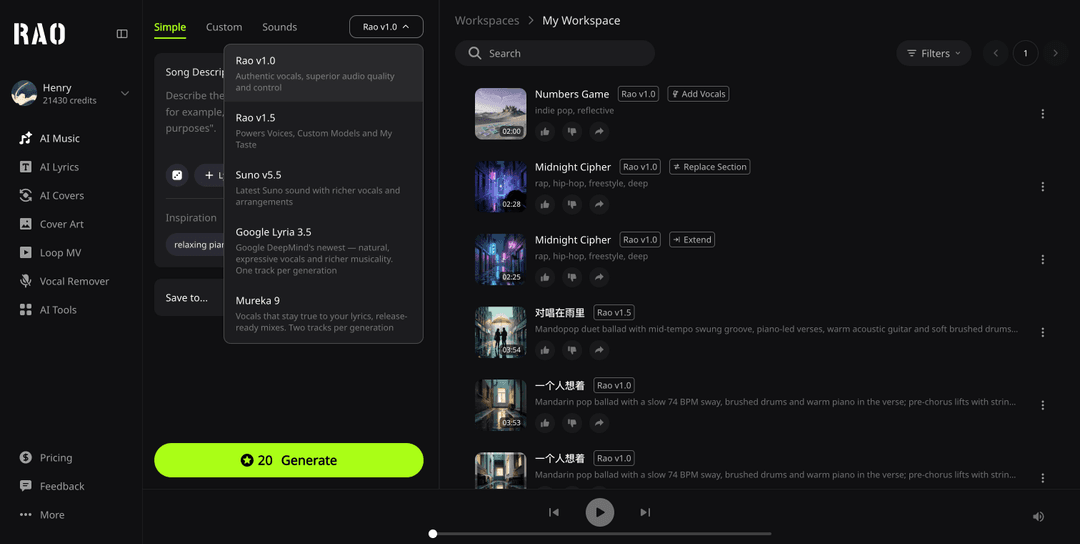
*Last updated: September 10, 2026. Product details below were checked against RaoMusic's published pricing pages on the same date.* Looking for an AI music generator with unlimited MP3 downloads ? Here is the direct answer for RaoMusic: generation runs on credits (20–80 per run depending on the model), and finished MP3s are not counted against any monthly download quota. On the Suno and Mureka models the MP3 is free once the song exists; the Flow Music model charges 5 credits when you create an MP3 or WAV export. New accounts start with 50 free credits — enough for two runs of the entry model, which produces four songs. At a glance: No monthly MP3 download quota — the limit sits on generation credits (20–80 per run by model) MP3 free after generation on Suno and Mureka models; Flow Music export costs 5 credits, charged once when the export is created WAV needs an active plan + 4 credits (Suno/Mureka models) or 5 credits (Flow Music); stems and MIDI vary by model Eligible tracks carry royalty-free commercial-use rights; copyright ownership is not transferred This guide compares the full workflow — what you can generate, what you can export, what "unlimited" applies to, and whether the license matches your use case. One account, several music engines: generate with credits, download the finished MP3. Which AI music generator has unlimited MP3 downloads? RaoMusic does not cap MP3 downloads with a monthly quota. You spend credits to generate a track; after that, downloading or re-downloading the MP3 never ticks down a second monthly allowance. Most "unlimited MP3 downloads" claims work the same way — the limit, if any, sits on generation or on the plan, not on the export button. That distinction matters if you create many variations, send previews to clients, edit in a DAW, or keep local backups. You can generate only what your credits allow, but you never have to ration exports to the end of a billing month. And if you are searching for a free AI music generator with unlimited MP3 downloads , check both the free credits and the per-export cost — "unlimited downloads" never means unlimited songs. Is unlimited MP3 download the same as unlimited music generation? No. These are two separate limits: Generation limit: How many songs or minutes you can create with your credits or plan. Download limit: How many finished files you can export from the platform. An AI music website can offer unlimited MP3 downloads while still limiting generations, queue priority, track length, advanced models, or storage. A fair comparison lists both limits instead of using "unlimited" as a headline. RaoMusic puts its limit on generation credits; normal account, storage, and acceptable-use protections still apply. What AI music websites should you compare for unlimited audio downloads? For unlimited MP3-download workflows, compare RaoMusic, SOUNDRAW, Suno, Udio, and Mubert on export quota, generation limits, available formats, and license — not on the word "unlimited" alone: Website or workflow MP3 export rule Generation model Other formats What to verify RaoMusic No monthly quota. MP3 free on Suno/Mureka models; Flow Music exports cost 5 credits each Credits (20–80 per run) WAV, stems, MIDI by model and plan Format and license for your use case SOUNDRAW Unlimited MP3 downloads on an eligible paid plan Plan-based Depends on plan Instrumental-only workflow and license Suno Download allowance varies by tier and changed in 2025–2026 Subscription credits Check current plan and Studio rules Monthly quota, commercial rights, renewal terms Udio Suspended downloads platform-wide after its late-2025 licensing transition Credits Downloads suspended Whether downloads have resumed, and on what terms Mubert 5 downloads per month on the free tier; unlimited on the paid Creator plan Plan-based (instrumental only) MP3 only Attribution and commercial terms by tier Competitor details were checked on September 10, 2026 against each provider's published pricing and license pages — download policies change faster than landing pages, so verify before relying on a feature for paid work. Udio is the cautionary tale: after its Universal Music settlement in late 2025, it suspended downloads platform-wide — including for paying subscribers — and offered a single 48-hour window to save existing libraries. A download promise is only as durable as the platform's licensing situation. For the recent Suno policy change, see our Suno download limit guide ; for a broader six-tool comparison, read our best AI music generators guide . If you are specifically replacing Suno, see our Suno alternative guide ; for licensing and use cases, see royalty-free music for YouTube and AI music for podcasts and videos . Can you download MP3 from RaoMusic without a subscription? Yes. MP3 downloads are not subscription-gated. On the Suno and Mureka models the MP3 is free once the track is generated; the Flow Music (Google Lyria) model is the exception — each MP3 or WAV export costs 5 credits, because the upstream provider bills per export. The charge applies once, when you create the export; the finished file stays in your library and re-downloads are free. The 50 signup credits are enough to test the whole path: two runs of the entry model (20 credits each, two songs per run) give you four tracks and four MP3 downloads, with credits to spare. Generation always consumes credits, and advanced models like Mureka 9.5 and MiniMax require an active plan — the pricing page lists the current rule for each model and format. Where the limits actually sit: generation costs credits; finished MP3s carry no monthly download quota. Does RaoMusic include WAV, stems, and MIDI downloads? Yes — WAV, stems, and MIDI are available on RaoMusic, but they follow separate rules from MP3. WAV downloads require an active plan plus 4 credits on the Suno and Mureka models, while Flow Music exports WAV for 5 credits without a plan; stem and MIDI availability depends on the model and plan. MP3, by contrast, is the simplest export for video drafts, social posts, podcasts, and quick client previews. If you need professional delivery, decide on the format before generating. A common workflow is to audition ideas with MP3 first, then confirm whether the final project needs WAV, stems, or MIDI — so an unlimited MP3 export never gets confused with unlimited access to every file type. Is RaoMusic suitable for YouTube, podcasts, and commercial projects? Yes — RaoMusic fits YouTube, podcast, and commercial projects that need original vocal or instrumental music: eligible generated tracks include royalty-free commercial-use rights under the current RaoMusic commercial license . The license grants use rights; it does not transfer copyright ownership. Keep the generation record and license information with the project. The license does not cover third-party lyrics, samples, recordings, or voices that you do not have permission to use, and no platform can guarantee an automated Content ID system will never make a mistaken match. How should you test an AI music generator with unlimited MP3 downloads? The most reliable test is one real project: generate two versions, download the MP3 files, and open them in the editor or DAW where you actually work — then test a second model if the platform provides one. Before committing to a paid workflow, record four details: the generation cost, whether a second download is allowed, which formats are included, and what commercial rights apply to the plan used. This small test reveals more than a feature list because it checks the complete path from idea to usable file. If you want to test the workflow now, you can generate a track with RaoMusic using the free signup credits. What should you check before trusting an "unlimited download" claim? Ask these questions: Is the claim for MP3 only, or does it include WAV, stems, and MIDI? Is it unlimited per month, per billing period, or only for a specific paid tier? Are downloads free, or do they cost credits on top of generation? Can you download tracks created on the free plan for commercial use? What happens after cancellation or when a plan changes? Has the platform changed its download policy in the past year? Are there storage, rate, or acceptable-use limits behind the headline? The clearest providers answer these in public pricing or license documentation. If the wording is vague, treat "unlimited" as something to verify rather than a reason to choose a platform — both Suno and Udio changed their download terms in 2025–2026. Is RaoMusic the right starting point for frequent MP3 exports? Yes, if your priority is repeated MP3 export without a monthly download quota: credit-based generation, 50 free signup credits, multiple music models, and a download workflow with no monthly counter. Soundraw may fit better if you only need licensed instrumental background music, Mubert if you want a flat monthly unlimited tier, and Suno if you value its community and song-generation experience — for a broader capability comparison, see the best AI music generators guide . The right choice depends on the full workflow, not one "unlimited" label. Compare generation limits, export formats, licensing, and how much policy-change risk you can absorb.